25 Workflow Management Tools that You Must Consider for your Business
Workflow Software to Accelerate Approvals.
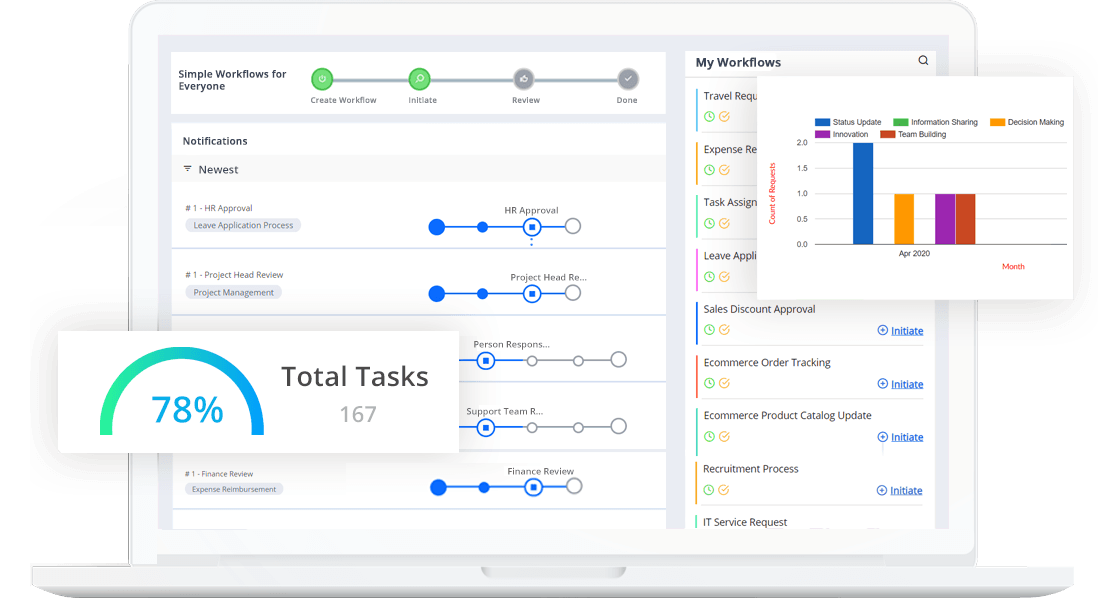
Automated business applications empower the workforce to break free from low-value, repetitive tasks, and improve productivity. Optimized digital workflows improve overall business efficiency. Enterprise SaaS development platform automates day-to-day process workflows like employee onboarding, approval of invoices, travel expenses, vacation requests, and more.
Zero code for you
No-code cloud workflow management solutions enable you to create workflows and complete your tasks faster. Visual form builder helps build customized templates.
Seamless integration
Seamless workflow integration Google Drive, Gmail, Google Calendar, G Suite, Office 365, and with 100s of apps, including Slack using CflowZaps (Zapier integration).
Business activity monitor
Get actionable insights right away with custom dashboards, reporting, and analytics features. Monitor your processes using Business Activity Monitor (BAM).
Email nirvana
Stop flooding email inboxes. Cflow organizes emails and sends one consolidated email at the end of the day.
Speed up processes
Be it purchase requests or expense reimbursement, Cflow helps you initiate multiple requests at a time using the import feature.
How Workflow Software Became a Part of Organizations?

The concept of a workflow has been around for years. The objective of the workflow is to improve the speed, accuracy, and standardization of complicated business processes by moving documents or activities from one step to another.
Workflows were formerly handled manually during the early stage. The employees used to fill out the hard copies of the form and then send them to the designated department by hand, which was a tedious task.
Then, someone from that division would read over the request and decide what to do with it. If the application was accepted, the employee might have received a paper check. If they were turned down, they could receive a letter explaining why their application was denied.
But all of this transferring files from one department to another would take a lot of time.
Therefore, at present, there is a greater need than ever for workflow solutions. The growth of data and the transition to a cloud-first world are altering the business process landscape and workflows that rely on them. This emerging pattern creates new possibilities for improving a broader range of business activities.
Today’s computers can execute procedures automatically by detecting triggers, assigning activities, and achieving outcomes. They can even help in generating progress and status reports. The same systems may be used for rules-driven workflows, allowing businesses to choose the order of activities and events based on corporate regulations.
An employee may save time by uploading any document form to an online portal rather than filling it out manually. The computers can read the information on the application, search for specific trigger phrases, and check to see whether it meets the criteria. Also, they can decide whether to approve or deny the request.
Thus, the time wasted before transferring the files can be utilized in other important tasks, all thanks to the automated workflow system.
Let’s now move to learn what this workflow management software is.

Intuitive Workflow Management Solutions
Workflow
The workflow tool helps to transform time-consuming processes into automated workflows. Pre-installed workflow apps help streamline repeated jobs and identify efficiency bottlenecks.
Form Builder
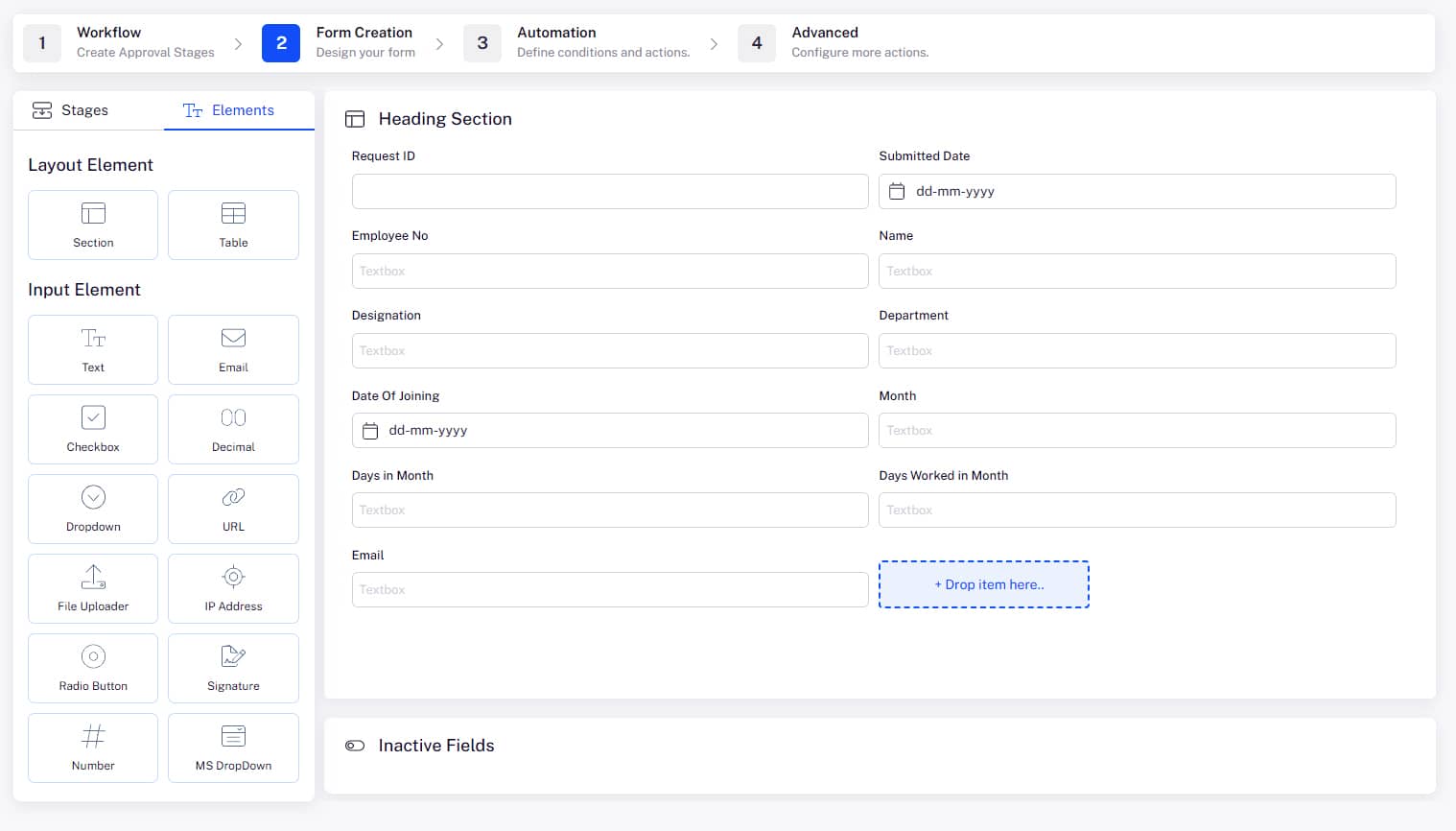
Simplify workflow requests with a visual forms builder. This drag-and-drop form designer can be customized for multiple departments and projects across the organization.
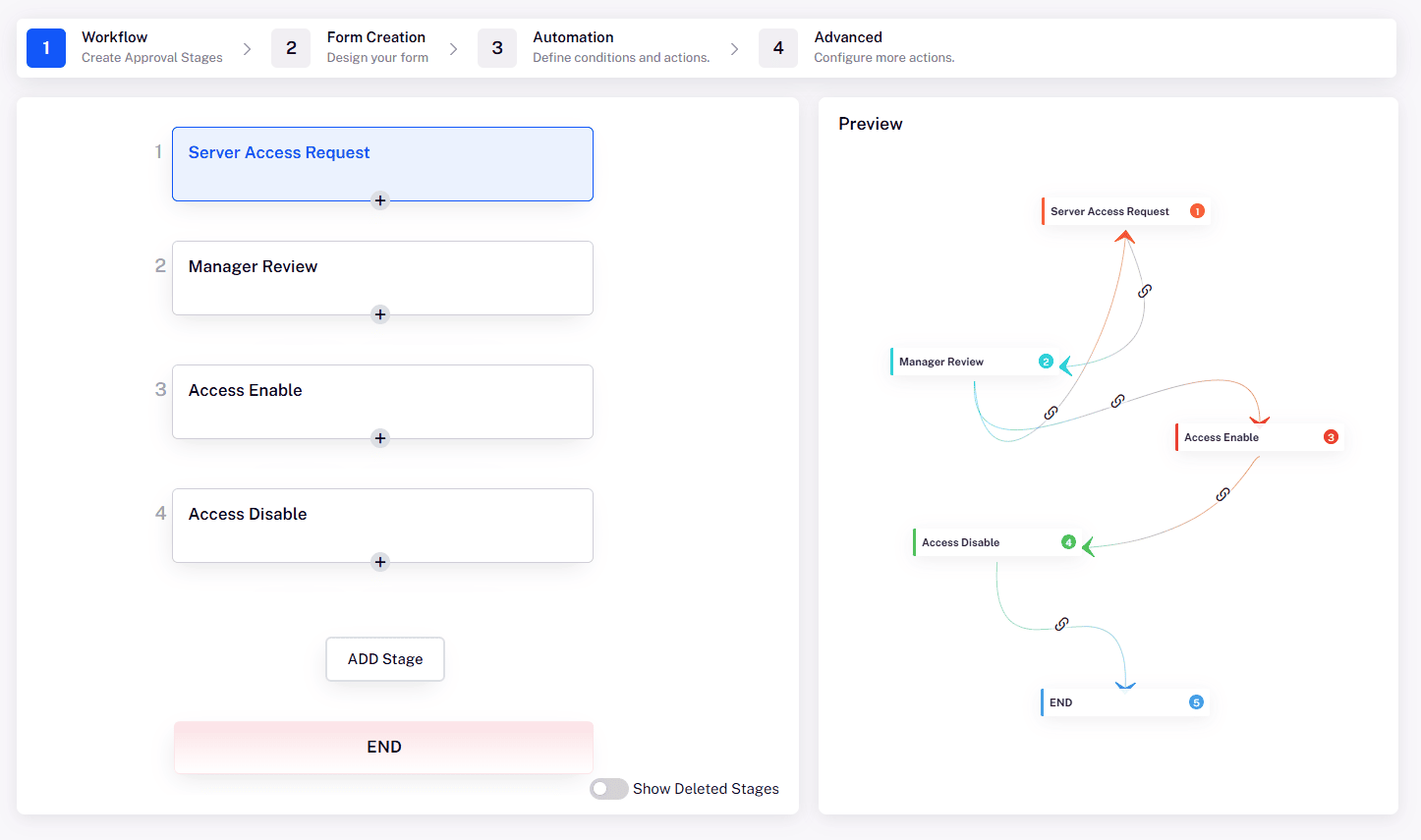
Create smarter workflows with a simple 2-step visual workflow builder.
1. Design form
Design your form to make it intuitive for users to work with. Organize the form into sections and drag and drop fields from the toolbox. There are no limits on sections and fields. Use your imagination to design forms that are easy to fill in.
2. Create workflow
Create your workflow simply by clicking the Process Stage button and connecting the stages. The end-to-end automation of the process flows requires no coding and is completed within minutes.
The Difference Between Manual and Automated Workflow
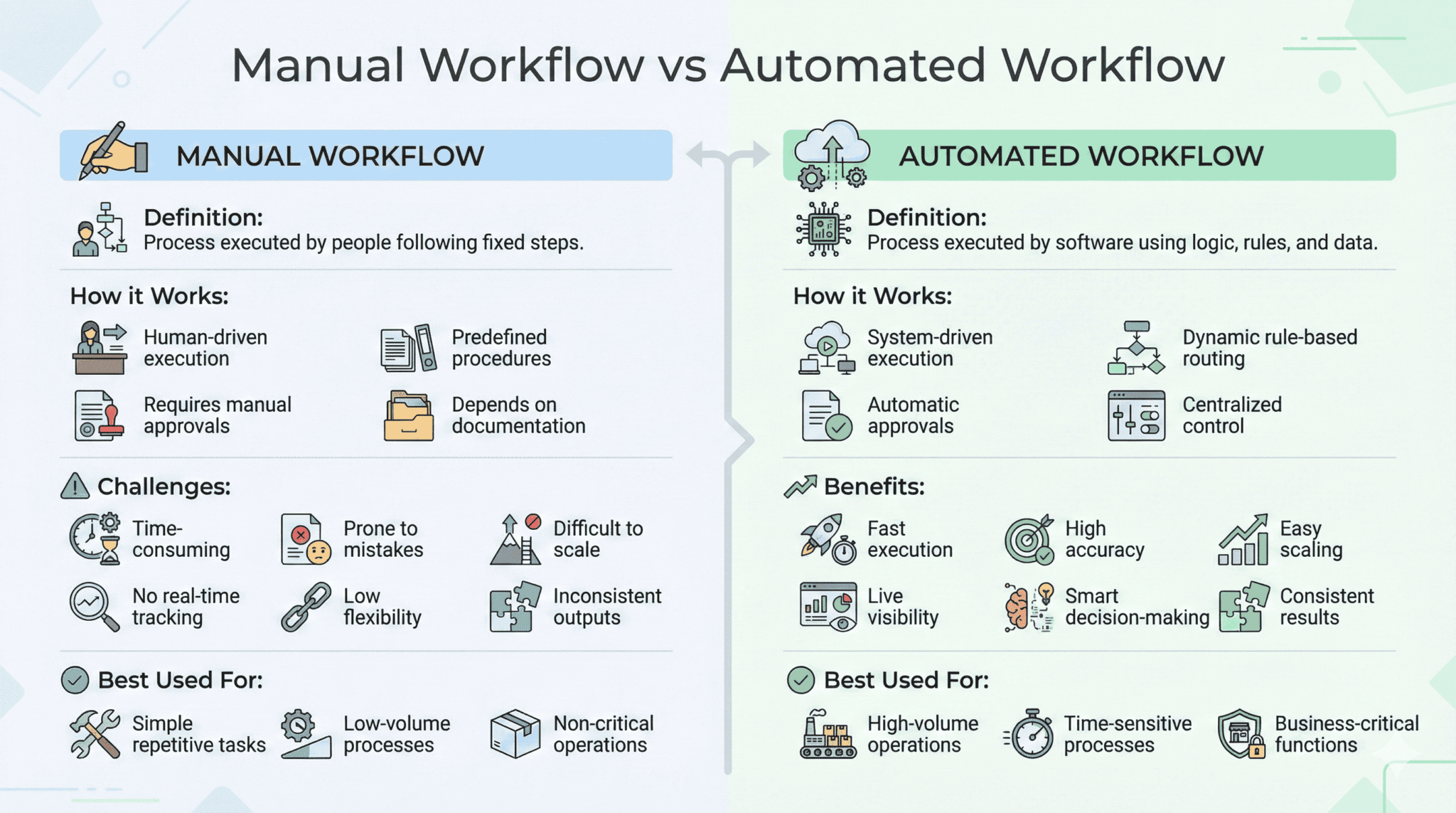
Both Manual and Automated workflows are efficient. However, only an automated workflow meets all the business criteria to help your company grow. As expected, manual workflows require more time before completion and might not fit into every type of process.
For example, it is impossible to follow a manual workflow for hyper-automated tasks, where data is processed extremely fast. Manual workflows are mostly suitable for repetitive processes that don’t require much intelligence.
Manual workflow mainly limits your team members to follow a predefined procedure or protocol, which might not be up to date all the time. For example: ‘How to complete a sales order process as it is a highly dynamic environment requires manual workflows to meet the changing demands of end customers.
Automated workflow allows you to design a process that adapts according to various variables and data streams. This type of workflow doesn’t require much intervention from multiple departments. This way, you can save a few pennies on labor. Small and medium-sized businesses often face time and resource constraints that prevent them from investing in automated workflows.
Many companies rely heavily on manual workflows to manage their business processes, affecting overall performance. In such instances, it is essential to have proper documentation of all the manual workflows to ensure that they are executed correctly. Using an automated workflow operations management system software, you overcome these and many other challenges.
Therefore, the next big question is which workflow management software to use. You can’t just choose any system. It should meet your and your company’s expectations. Therefore, we have tailored a list of industry-leading workflow automation systems.
Benefits of Managing Workflows
Businesses can use workflow management platforms or workflow engines to automate routine business procedures, ensuring identical (or very similar) outcomes each time. Managers always need software that is adaptable, integrated, and capable of handling multiple activities so that they may accomplish their objectives. The management systems help them precisely with that and many more things like:
Unlimited Dependencies:
Workflow management software allows you to create as many linked activities as needed so that each right step takes you one step closer to the desired outcome.
Automated Notifications:
Workflow management software automatically alerts those who need updates so that the users won’t miss out on any information or deadlines.
Offers Automatic Processes:
Workflow management software provides automated processes, also known as ‘workflows.’ Workflows consist of a series of tasks that can be repeated.
An example of this is the process followed when invoices are generated and sent to customers: First, sales create an invoice in their system, then accounts receivable enter the information into their system, and finally, accounts payable pay the invoice.
- Unambiguous data: Workflow management software ensures data is clear and easy to understand. So you will know exactly what each person involved with your workflow needs to do next at every step.
- Automated routing: Workflow management software allows for automatic routing so that steps such as approval or rejections go where they need to without any human intervention.
- Automatic calculations: Workflow management software allows for automatic calculations to ensure that financials and other metrics are kept current throughout the process.
- Independence from Location: With workflow management software in place, employees working from the office and those on the go can easily access important documents, data, and communications at any time. As a result, projects are never delayed due to reliance on a single team member or location for input or submissions of final results.
- Cloud-based system: Usually, a workflow management solution runs on a cloud platform. Thus you can access your work anywhere, anytime.
- Integrates with SAP and other services: Workflow management systems integrate with other systems and processes, reducing the number of interfaces, decreasing costs, and increasing workflow.
- Time-tracking and timesheets: The workflow management software automatically records the time spent on different tasks, making it possible to generate reports and submit them for payroll.
- Different workflows: The workflow software allows you to create multiple workflows depending upon the requirements and needs of your project, which helps in achieving outcomes faster and better.
- Team collaboration: It is possible that with workflow management software, you can keep track of meaningful conversations and information. As a result, teams can collaborate more efficiently and avoid confusion or miscommunication that might affect deadlines or even the outcome of tasks.
- Create invoices and forms: The workflow software makes it possible to create forms and invoices automatically. This saves time for the company by eliminating human error.
So, these were some of the benefits of Workflow management software. You can now easily comprehend how the Workflow system works and the processes followed by the workflow system.
Workflow Management Software Best Practices
Defined workflows
There are generally hundreds of workflows in each team and department. These workflows are scattered across a variety of tools and personnel. But, when the entire company is aware of all these procedures, it indicates that good workflow management has been established.
Some workflows are well-defined, while others are not. However, you should make an effort to regularly recognize and document these processes.
Codified workflows
Another way to improve workflow management is by documenting it. Documenting a workflow ensures that everyone can follow the same steps and actions regardless of their personality, department, or role. This practice will help people become aware of where information is going and what happens after it’s processed.
Data-driven workflows
When you have data on your side, you can learn from past mistakes and make future decisions more quickly. Workflow management systems keep track of all the notes made during every step of the process.
Data-driven workflow management enables timely decision-making based on accurate numbers rather than guesswork and assumptions. Everyone with access to this system can see precisely how things went wrong (or right) and adjust accordingly.
Prioritized and Streamlined Workflows
If you prioritize tasks appropriately, it will be easier to implement the most important ones. Although tasks might seem small, these tasks may significantly impact your workflow management efforts. Prioritizing also helps shorten the time to complete each task before moving on to another one.
You can start with customer-facing workflows like sales processes and discount approvals or employee-centered workflows like hiring and onboarding. These are critical business processes that have a significant influence on the company.
Regular monitoring and optimization
The only way to create highly efficient procedures is through optimization. Even if your initial workflow is intelligent and data-driven, it will be inefficient. Workflows on paper are primarily flawless and inhuman.
Workflows that operate in real-time are imperfect both in design and execution. An organization with effective workflows can effortlessly achieve all commercial objectives.
25 Best Workflow Management Software Solutions in 2025
1) Cflow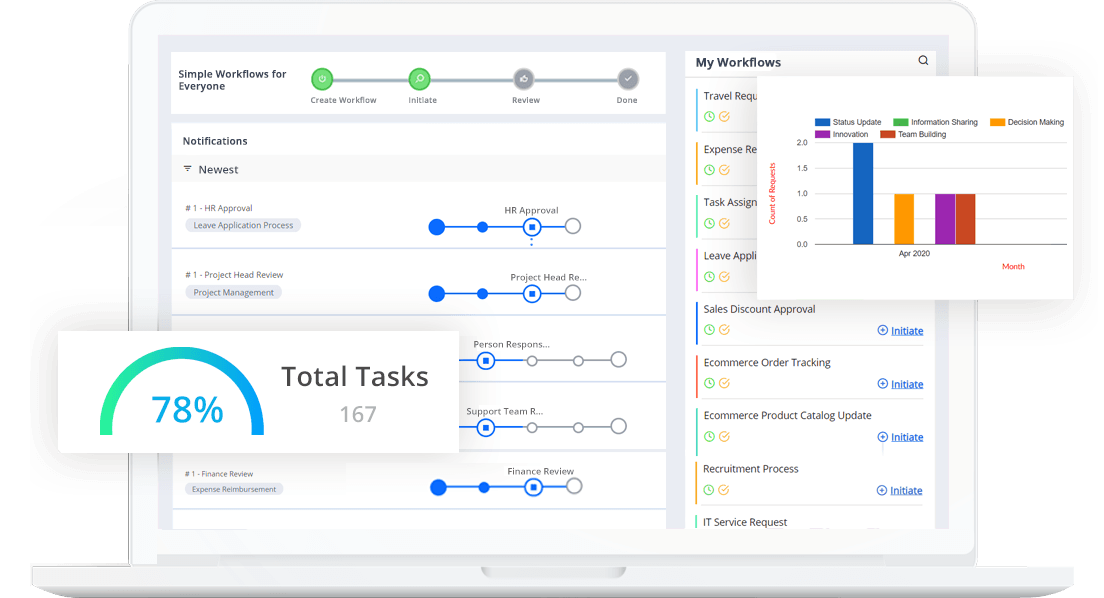
A cloud-BPM workflow automation software that can be completely customized according to the unique requirements of any business workflow. Cflow is a no-code BPM, which means that setting up workflows or workflow forms can be done by just anyone using the visual form builder. Key business workflows like procurement, finance, accounting, employee onboarding, etc. can be automated within minutes by using the drag-and-drop option. Cflow enables teams to tailor their workflow to their demands and communicate seamlessly.
Cflow can be easily integrated into a number of productivity and collaboration platforms like SAP, Zapier, G-Suite, and many more.
Top Features:
- Cflow enables you to create highly customized automation workflows that operate smoothly and efficiently.
- Visual workflow builder uses the drag-and-drop way to create rules automatically and set any process in action within minutes.
- Cflow works efficiently as a standalone workflow management platform but also integrates seamlessly with over 1000 business applications.
- The highest levels of data encryption and security are provided in Cflow. Frequent data backups and multiple storage solutions ensure the safety and security of data.
Pricing:
- Joy: $11 per user per month, a minimum of 10 users
- Bliss: $16 per user per month, a minimum of 20 users
- Zen: at Custom pricing, a minimum of 100 users
Pros:
- Real-time insights into process statuses through an intuitive dashboard.
- Cflow offers insane levels of customer support
- Easy API integration of thousands of apps via Zapier
- Only workflow software enables people without a Cflow license to approve workflows.
Cons:
- The free version is limited in functionality.
2) Asana
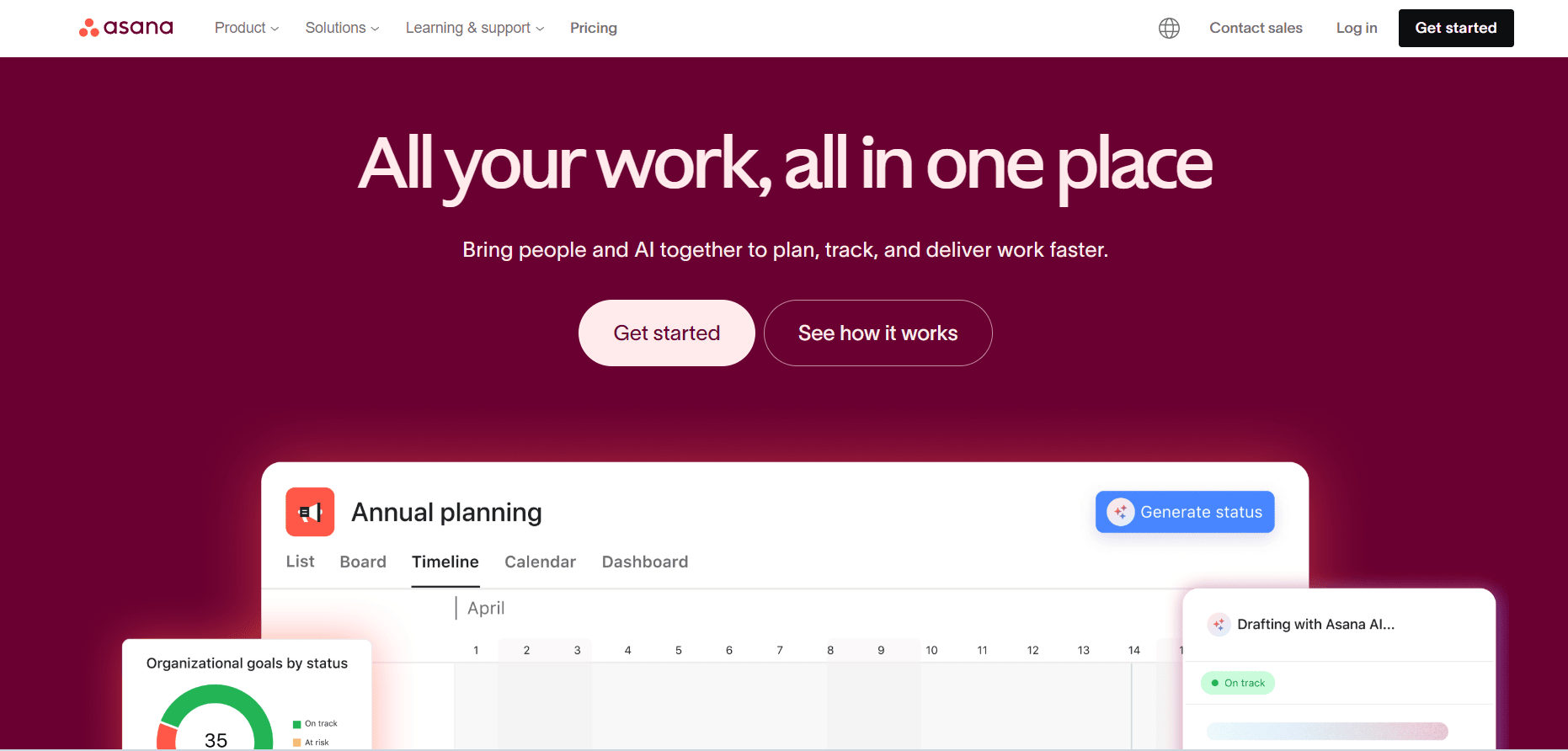
Asana is a popular project management tool that helps teams plan, track, and manage their work in one place. It is easy to use and helps teams stay organized, meet deadlines, and collaborate better. Asana is widely used by businesses to manage daily tasks as well as large projects.
With Asana, you can create tasks, assign work to team members, set deadlines, and track progress easily. It supports different work styles using tools like lists, boards, timelines, and calendars. This makes it simple to manage workflows and get work done faster.
Top Features:
- Create and organize tasks and projects easily.
- Track task status such as to-do, in progress, and completed.
- Assign tasks to team members with due dates.
- Use boards and lists to manage work visually.
- View project schedules using timelines and calendars.
- Attach files and leave comments on tasks.
- Integrate with popular tools like Slack, Google Drive, and Zoom.
Pricing:
- Personal: Free
- Starter: $10.99 per user per month
- Advanced: $24.99 per user per month
- Enterprise: Custom pricing
Pros:
- Very easy to use and set up.
- Clean and simple interface.
- Improves team collaboration.
- Flexible views for managing work.
- Good integrations with other tools.
Cons:
- Advanced features are only in higher plans.
- Can feel expensive for large teams.
- Limited features in the free plan.
3) n8n

Google, Microsoft, Bosch, and Delivery Hero all use n8n to strengthen and automate their workflow orchestration and system integrations. With its powerful automation engine and flexible design, n8n is an excellent solution for teams and companies of every size that want full control over their processes.
Its features and functions, especially in automation and data flow management, enable teams to become more efficient, proactive, and technically independent.
Some of the tools available with n8n include visual workflow builders, trigger-based automation, and custom logic handling. As a result, business processes and data synchronization across systems become seamless and reliable. It integrates with hundreds of applications and APIs, allowing you to connect all your tools from a single automation platform.
Top Features:
- Unlimited workflows and executions (self-hosted version).
- Visual drag-and-drop builder to design complex automation workflows easily.
- Supports conditional logic, loops, and workflows within workflows.
- Open-source platform with full customization and developer control.
- Native integrations with popular tools like Slack, Google Sheets, HubSpot, Jira, AWS, and more.
- REST API, Webhooks, and custom JavaScript for advanced automation.
Pricing:
- Community Edition: Free (Self-hosted)
- Starter (Cloud): Starts at $20 per month
- Pro: From $50 per month
Enterprise: Custom pricing
Pros:
- Open-source and highly customizable.
- Powerful automation logic without vendor lock-in.
- Supports complex workflows and custom scripts.
- Can be hosted on your own servers for full data control.
- Large number of integrations and active developer community.
Cons:
- Requires technical knowledge for advanced use cases.
- Initial setup for self-hosting can be complex.
- UI is functional but not as polished as no-code business tools.
- Support mainly community-based for free users.
4) Process Maker
Source: ProcessMaker
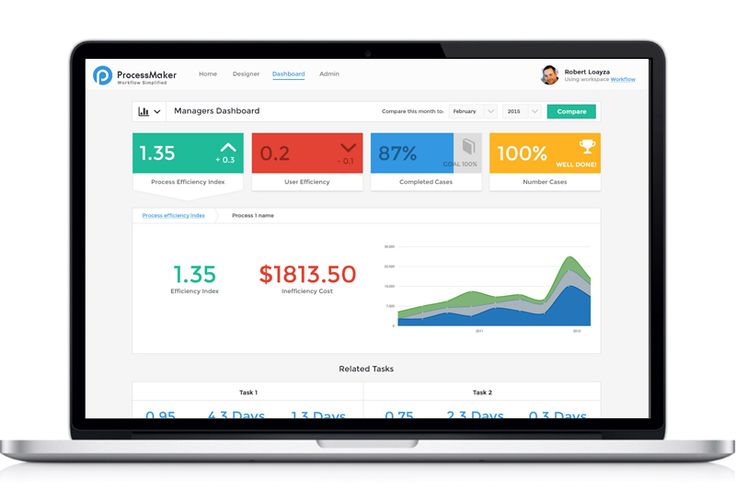
ProcessMaker is an open-source workflow and business process management solution meant for modern businesses. This solution is developed to provide the necessary flow of information between data and systems by automating form-based, approval-driven workflow processes.
Users can especially benefit from its simple drag-and-drop interface which is both simple to use and cost-effective. The fact that ProcessMaker is low maintenance, efficient, and has a low overhead makes it an excellent choice for small and budding businesses. Due to its ability to work in favor of small businesses, professionals use it to automate processes, communicate with their teams, and achieve more.
Top Features:
- Create, modify, and execute processes with zero coding and technical understanding.
- Let’s design and execute bespoke deployment systems for tasks and projects.
- The automation-led functions enable you to reduce manual task handling and data management.
- Intuitive and powerful dashboards are meant to create efficient workflows and improve visibility.
- ProcessMaker can also work seamlessly with legacy systems which are also beneficial for digital transformation.
Pricing:
- Standard: $1495 per month
- Enterprise: $2479 per month
Pros:
- The user interface is clean & easy.
- The drag-and-drop builder visualizer helps implement the design you want.
- Has in-built capabilities of data analysis.
- ProcessMaker is easy to scale.
Cons:
- You will require some coding knowledge and experience for more advanced features and functions.
- It is not compatible with the IE browser.
5) Smartsheet
Source: Smartsheet
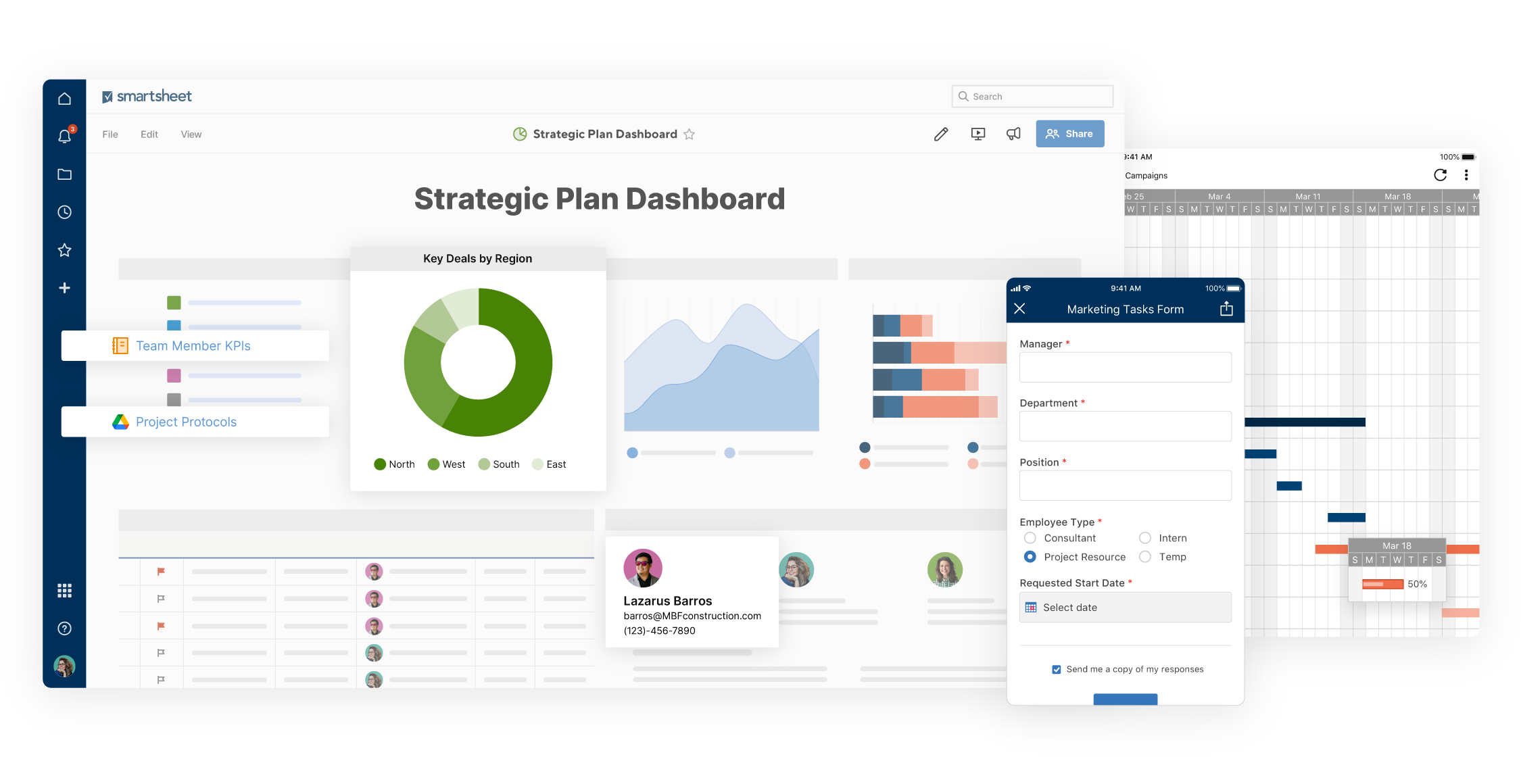
Built on the lines of a spreadsheet, Smartsheet gives you the ability to organize company tasks, schedules, processes, and other aspects of business management. Besides being a project management tool, the workflow management capabilities of this solution include customizing the brand logos and prescribing different color themes for individual projects.
To keep up with the tasks and their completion process, Smartsheet lets you automate the workflow and visualize the calendar, card-styles views, and Gantt. Furthermore, the team members are automatically updated about the critical changes in the project in real-time.
Main Features:
- Smartsheet can be integrated with Microsoft and other Google applications.
- It has an in-built Critical Path feature that highlights all the projects that have an immediate and direct impact on your existing projects.
- All the calculations associated with the tasks and projects will be complicated within the software.
- Smartsheet helps you deliver projects and tasks quickly while ensuring that everyone stays accountable.
- The repetitive tasks are automated, saving you time and resources.
Pricing Plan:
- Pro – $7 per month
- Business – $25 per month
- Enterprise – Shared according to requirements
Pros:
- It can easily extract data from multiple sources collaborating on a single platform.
- Provides all the functionality of a spreadsheet in one solution.
- In-built templated forms for prepare-by-client requests.
Cons:
- Using Smartsheet must be done with effective training.
- The pricing structure starts at the higher end.
6) Monday.com
Source: Monday.com
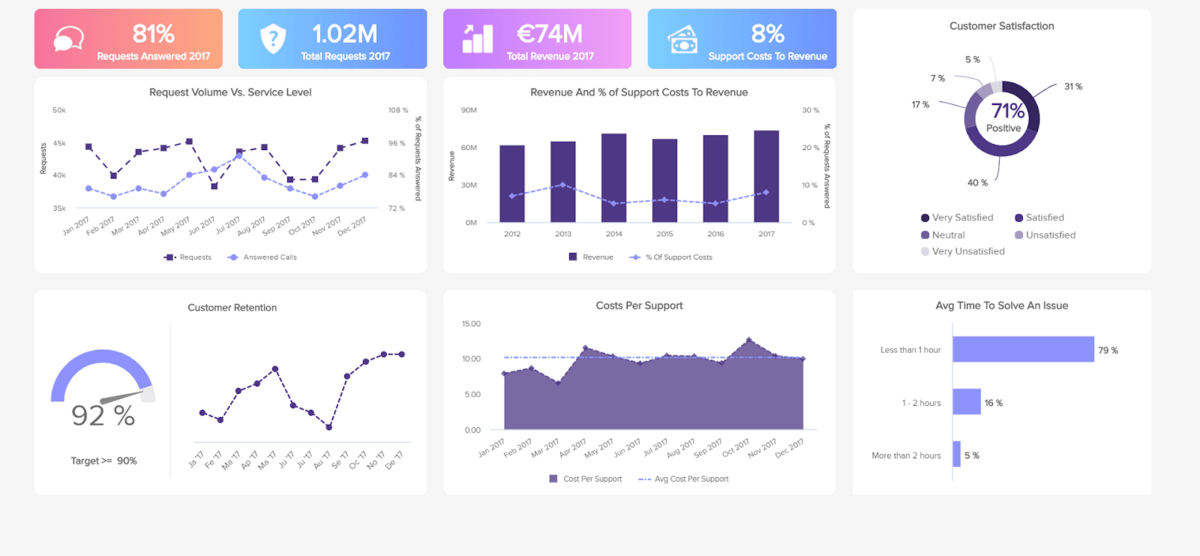
It is a flexible project management tool that allows businesses to schedule and plan future work. It offers real-time data insights, including instant notifications when tasks are completed or changed, which helps team members achieve their goals more quickly. You can also chat in groups to discuss issues with ease.
Top Features:
- The tool allows you to schedule tasks and set priorities so that you and your team stay on top of your workload.
- You can use this software to view your project boards in a team calendar format.
- Monday.com’s platform also allows you to build your boards, which will help you track materials for your project.
- Gantt charts are part of this software.
- Workflow automation options are also available.
Pricing:
- Basic: $8 per month per user
- Standard: $10 per month per user
- Pro: $16 per month per user
Pros:
- Real-time updates.
- Plentiful features in a single platform.
- Work chat helps in effective communication.
- Easy to use UI with almost identical interface same as Microsoft Excel.
Cons:
- The free version is limited in functionality.
- Doesn’t provide any more features than collaborative boards.
- Limited reporting, which feels a bumper when handling more than one client.
7) Pipedrive
Source: Pipedrive
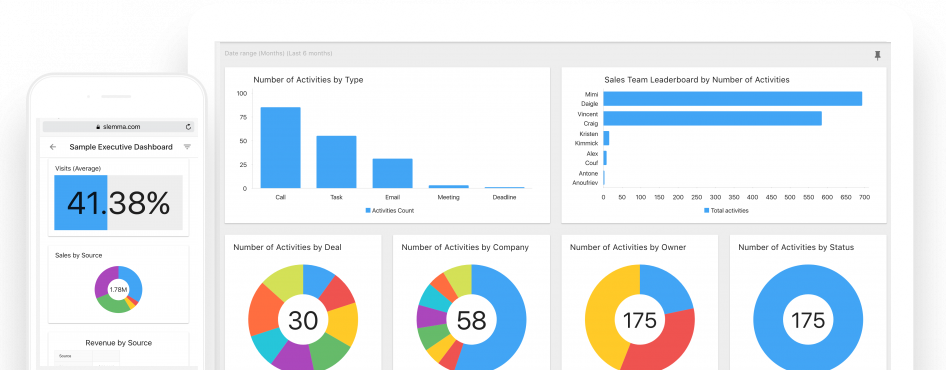
Pipedrive is a simple-to-use pipeline management software that includes a slew of useful features. Using a drag-and-drop sales pipeline, Pipedrive makes managing and tracking your sales efforts simpler.
Pipedrive’s adaptable approach to following up on leads and its proactive nature to track and organize calls and emails and sync calendars across devices make it ideal for salespeople. The capacity of Pipedrive to comprehensively portray the sales process from beginning to end may be pretty appealing to most small and mid-sized enterprises (SMBs).
Features:
- Logging Leads
- Revenue Projection
- Scheduler
- Smart Contact Data
- Track Communication
- Customizable Reports
- Visual Pipeline of Sales Stages
- Workflow Automation
Price:
- Basic Plan – $12.50/user per month
- Advanced Plan – $24.90/user per month
- Professional Plan – $49.90
- Enterprise Plan – $99.00 per user per month
Pros:
- It helps in importing data from other CRMs easily.
- Pipeline management is simplified with customizable dashboards.
- Sales leads are immediately added to your pipeline after receiving a response from custom chatbots & web forms.
- Assesses sales performance with the help of metrics.
- User-friendly interface
- Customized reporting capabilities
- A lengthy list of app connections
- Communication monitoring is excellent.
Cons:
- Designed for small and mid-sized enterprises.
- Lists of new leads and contacts are not divided.
- Doesn’t integrate with larger corporations like SAP or Oracle.
- Marketing solutions and features that are simple to use.
8. Zapier
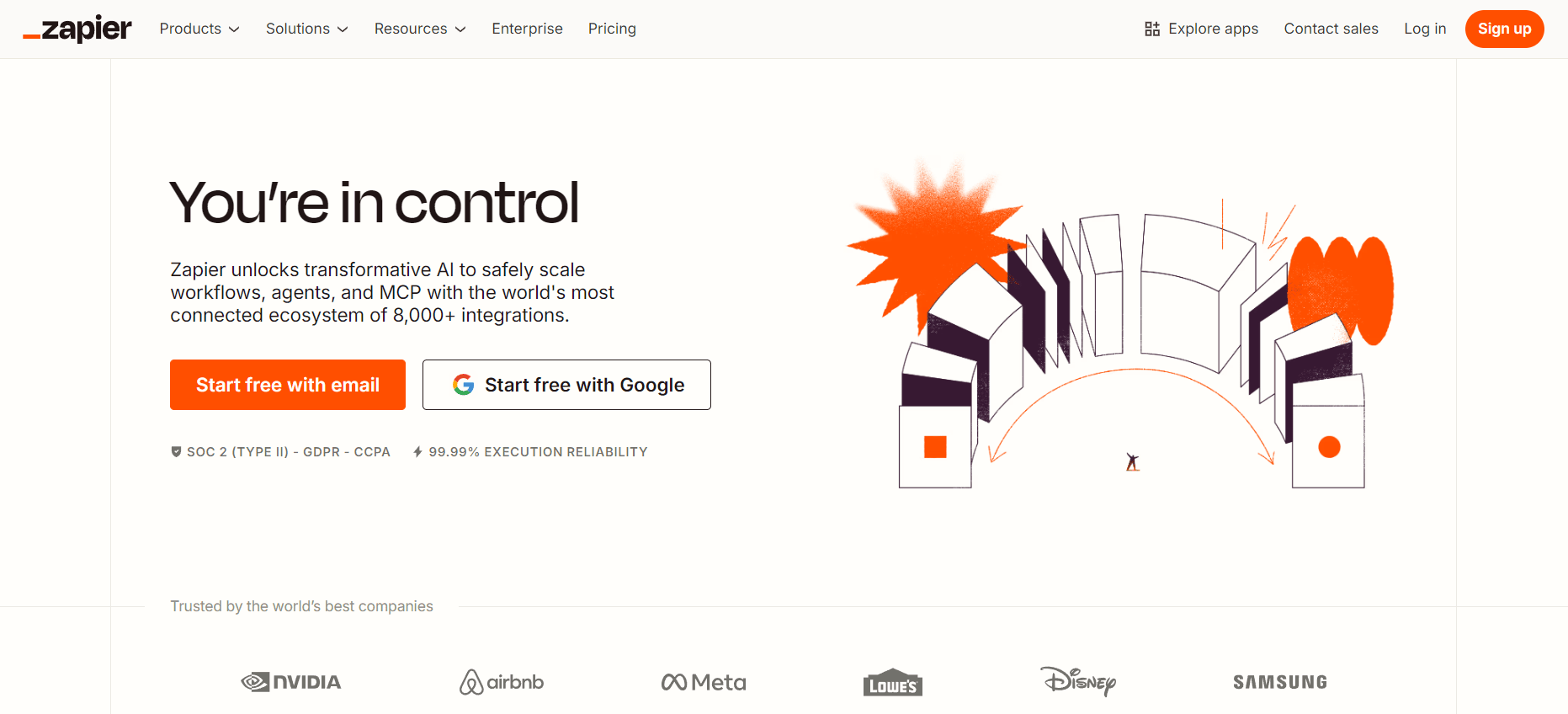
Zapier is a leading automation platform designed to help individuals and businesses connect their favorite apps and automate routine tasks without writing any code. The tool is widely popular for its ability to build automated workflows—called “Zaps”—that save hours of manual work. Zapier enables users to seamlessly transfer data between applications, trigger automated actions, and streamline multi-step business processes. It is especially beneficial for small to medium-sized businesses looking to boost efficiency with low-effort automation. Additionally, Zapier supports integration with thousands of third-party applications, ensuring a smooth and connected user experience across tools.
Top Features:
The platform offers extensive customization for building workflows. Users can configure multi-step Zaps, filters, conditions, and custom logic to automate tasks exactly the way they need.
A powerful trigger–action system helps automate repetitive work and ensures processes run smoothly without manual intervention.
Zapier is known for its strong integration ecosystem. With over 6,000+ supported apps, users can connect their CRM, email, project management, marketing, and productivity platforms in minutes.
Pricing:
Starter – $29.99 per month (ideal for simple single-step automations)
Professional – $73.50 per month (unlimited premium apps + multi-step Zaps)
Team – $448.50 per month (collaboration and shared workspaces)
Company – $898.50 per month (advanced security, SSO, enterprise features)
Pros:
Extremely easy to use with a no-code setup, making automation accessible to everyone.
Supports one of the largest integration libraries in the automation space.
Great for eliminating repetitive manual tasks and improving overall process efficiency.
Cons:
Complex workflows may become expensive on higher-tier plans.
Some users report delays in automation execution during peak usage times.
9) Nintex
Source: Nintex
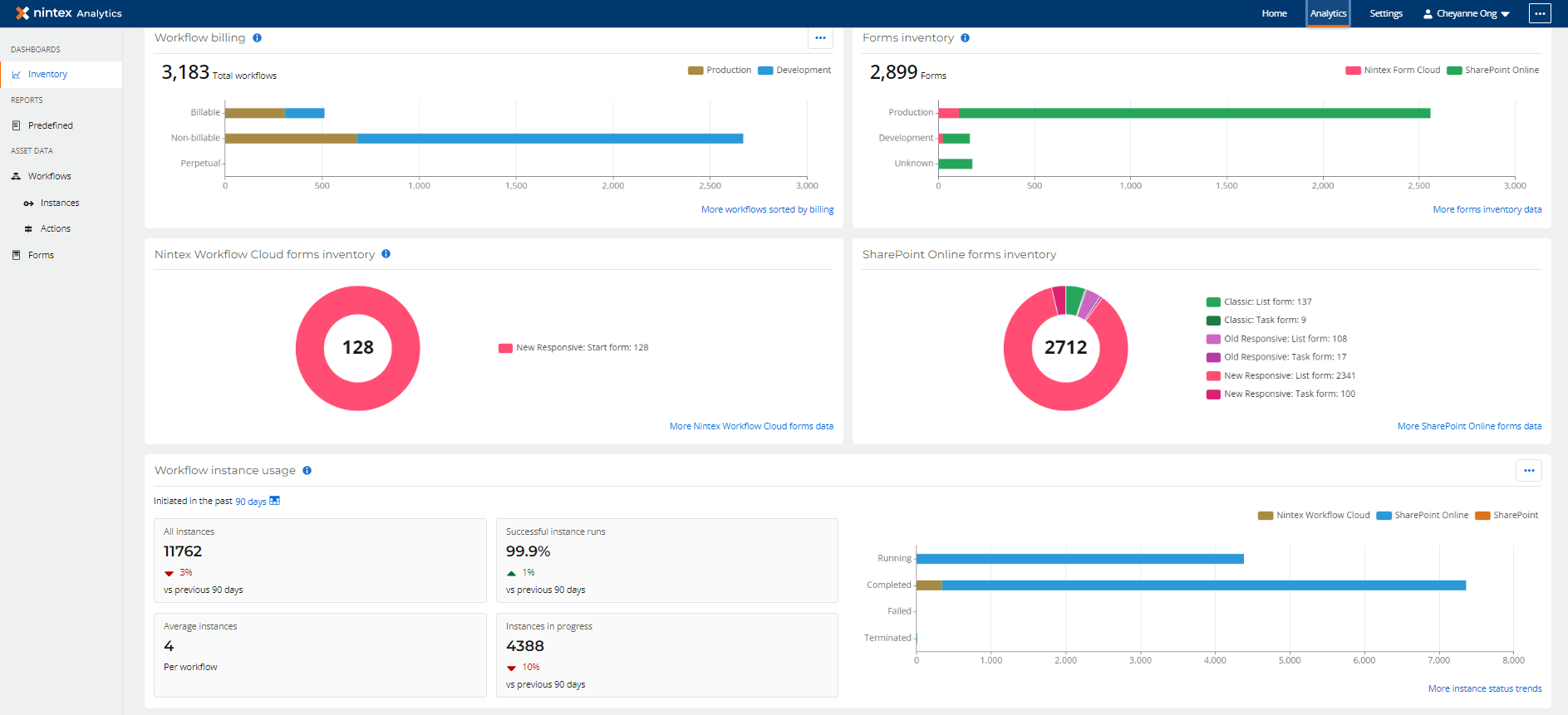
Nintex is a leading workflow management software for businesses in every industry and vertical. This solution aims to help make your workflow management work simpler and quicker and automate the procedures. Furthermore, Nintex connects cloud workflows, on-premise computing networks, and mobile users to automate processes. It helps manage the existing content management systems while assisting companies in collaborating on a larger scale.
Nintex makes it simple for teams to streamline work systems, integrate content, and enhance the existing results to get a better outcome. The application has a user-centric design and interface that works well for both everyday tasks and more sophisticated ones.
Top Features:
- Nintex has several features that help improve processes by leveraging the power of automation.
- It has in-built process mapping systems and mobile app compatibility for a more robust outcome.
- There are many free workflow templates available on the platform, relevant to every industry and department.
- You can instantly share, send, and receive documents.
- The collaborative center of the processing system helps with the easy management of every task from a single place.
Pricing:
- Nintex Promapp Standard: $955 per month.
- Nintex Promapp Enterprise: $1405 per month.
- Nintex Workflow Standard: $910 per month.
- Nintex Workflow Enterprise: $1400 per month.
Pros:
- Integration with Salesforce is easy and quick.
- It has an in-built e-signature system to fast-track the signing process.
- The user interface is intuitive and user-friendly.
- It removes the need to enter data manually.
- The design of Nintex is adaptable to the company’s needs and market.
Cons:
- Implementing multilingual forms requires more work than usual.
- The reporting and logging function is less efficient.
- There is some lagging while working with new events on the platform.
10) Process Street
Source: Process Street
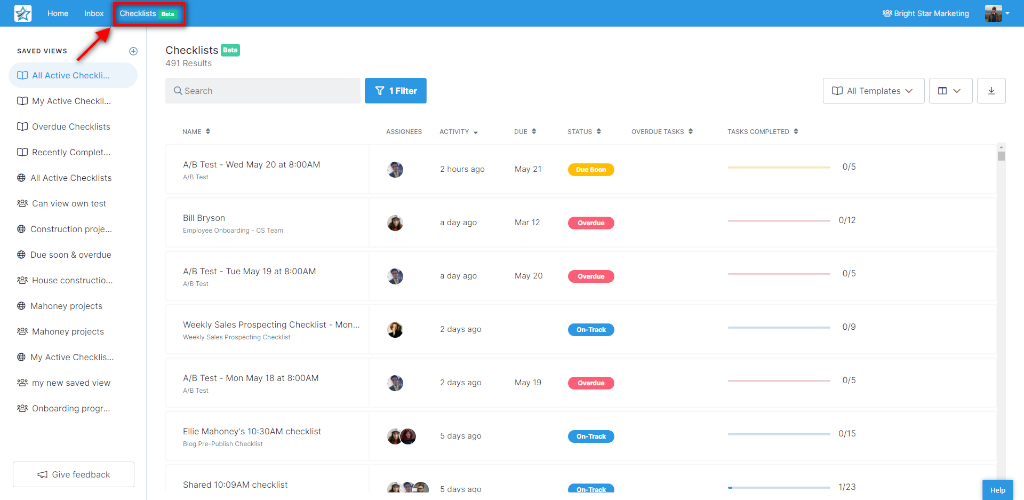
Process Street is a workflow & process management solution with some powerful features to make the entire process easier and quicker. It’s one of the simplest ways for teams to handle recurring procedures and checklists while working on projects.
Businesses can use Process Street to track their work processes using checklists and commit zero errors in task allocation, monitoring, and tracking. All of this saves a lot of time for the project managers and ensures timely delivery.
Any type and configuration of the team can use Process Street to create recurring checklists, collaborate on them in real-time, and track their progress until they’re finished. Furthermore, it has a number of additional features such as custom permissions, automation, and reporting that enable enterprises to achieve more than they anticipated.
Top Features:
- Pages represent the system that helps with documentation on Process Street. It lets you share, organize, and capture project-related information.
- You can quickly design and implement collaborative workflows while tracking their progress.
- Process Street is compatible with over 1000 applications for task automation and high-level management.
- The forms feature of this workflow process management software can be used to capture and structure data.
Pricing:
- Pro: $25 per month per user.
- Enterprise: Custom quotes
Pros:
- The pre-built templates make it easy to create and manage workflows.
- Process Street has an amazing amount of documentation for using the solution easily.
- The template-based process workflow automation helps improve business efficiency.
- You can create, customize, and manage the checklists easily.
Cons:
- The user interface is clunky for some users.
- The permission setting system is not great.
- Process Street’s inbox tab is not user-friendly.
11) Process Bliss
Source: Process Bliss
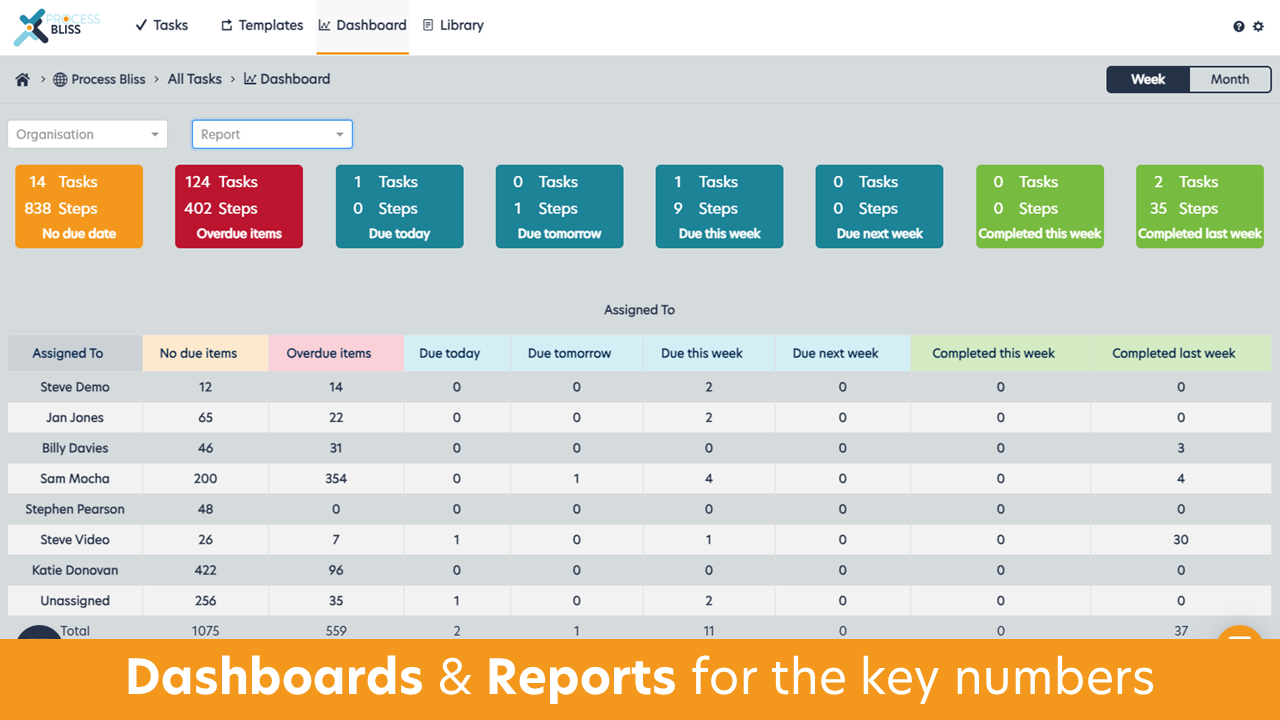
Process Bliss is an all-in-one workflow management system for small and medium organizations. Besides an impressive process flowchart-making interface, Process Bliss also facilitates several templates and associated features to improve decision branching, loops, dependent due dates, data sorting, and file capture.
The templates in Process Bliss are organized in a friendly structure with a permissions-based system. If not for using the prebuilt template workflows, the users can also create their own templates. Furthermore, with features like process quality analytics and feedback on the templates, Process Bliss can be improved according to the changing requirements.
Top Features:
- Process Bliss gives you a system to centralize the organizational policies, processes, and procedures.
- A single dashboard acts as a view-in-one-place system for the users, ensuring complete visibility from a single window.
- You can integrate more than 2000 third-party applications with Process Bliss to further enhance the functionality.
Pricing:
- $10 per month per user
Pros:
- The task workflow builder in Process Bliss is amazing.
- Built-in process improvement systems are helping you complete them with ease.
- The support team behind Process Bliss is readily available.
Cons:
- It doesn’t have a built-in time-tracking system.
- The dashboard has fewer features than required.
- There have been reports of lagging.
12) Freshservice
Source: Freshservice
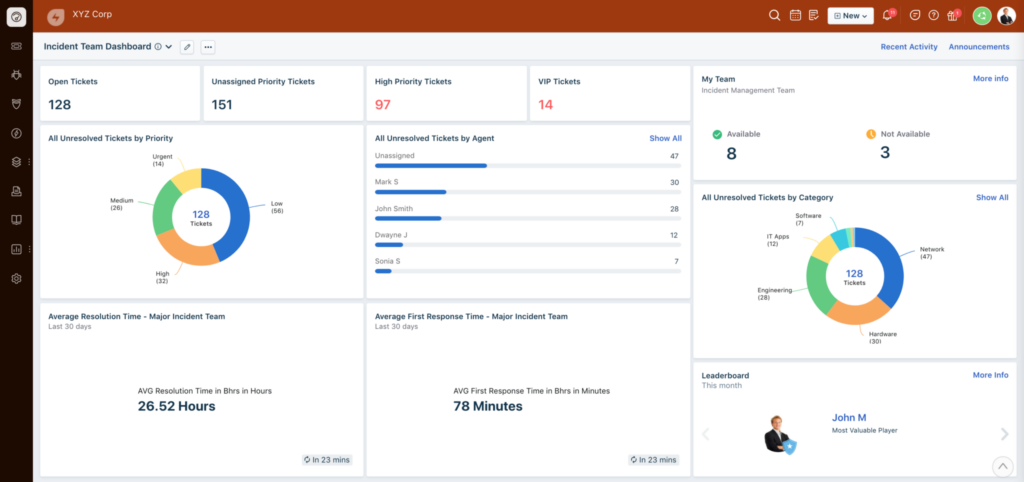
Freshservice includes all of the tools and capabilities needed for proactive IT service and systems management. The solution has a robust automation system that reduces manual work and the costs associated with the same. You can also automate the internal operations with the workflow Automator provided within the solution.
It contains features that allow it to assign agents to requests automatically. Workflow Automator can assist you in creating approval workflows to speed up the work and reduce window hopping to wait time, and file misplacement. The program will automate the complete approval workflow across all service desk modules.
Top Features:
- The Workflow Automator allocates and auto-assigns the tickets to the right person in the team.
- It can also automate repetitive tasks like employee onboarding and desk approvals, leave approvals, budget allocation, etc.
- Besides efficient ticket allocation, you can build customized rules for ticket monitoring.
- Run, manage, and complete projects in any way you want.
- FreshService IT workflow management solution works with agile, waterfall, and Hybrid management modes.
Pricing:
- Starter: $14 per user per month
- Growth: $34 per user per month
- Pro: $54 per user per month
- Enterprise: $64 per user per month
Pros:
- The easy-to-use drag-and-drop system helps build a bespoke workflow and interface.
- Create custom triggers for a particular project or event.
- Automates the majority of repetitive tasks.
- Can handle problem management and change management.
Cons:
- Project and task reporting is not efficient.
- Customer support services are slow.
13) Trello
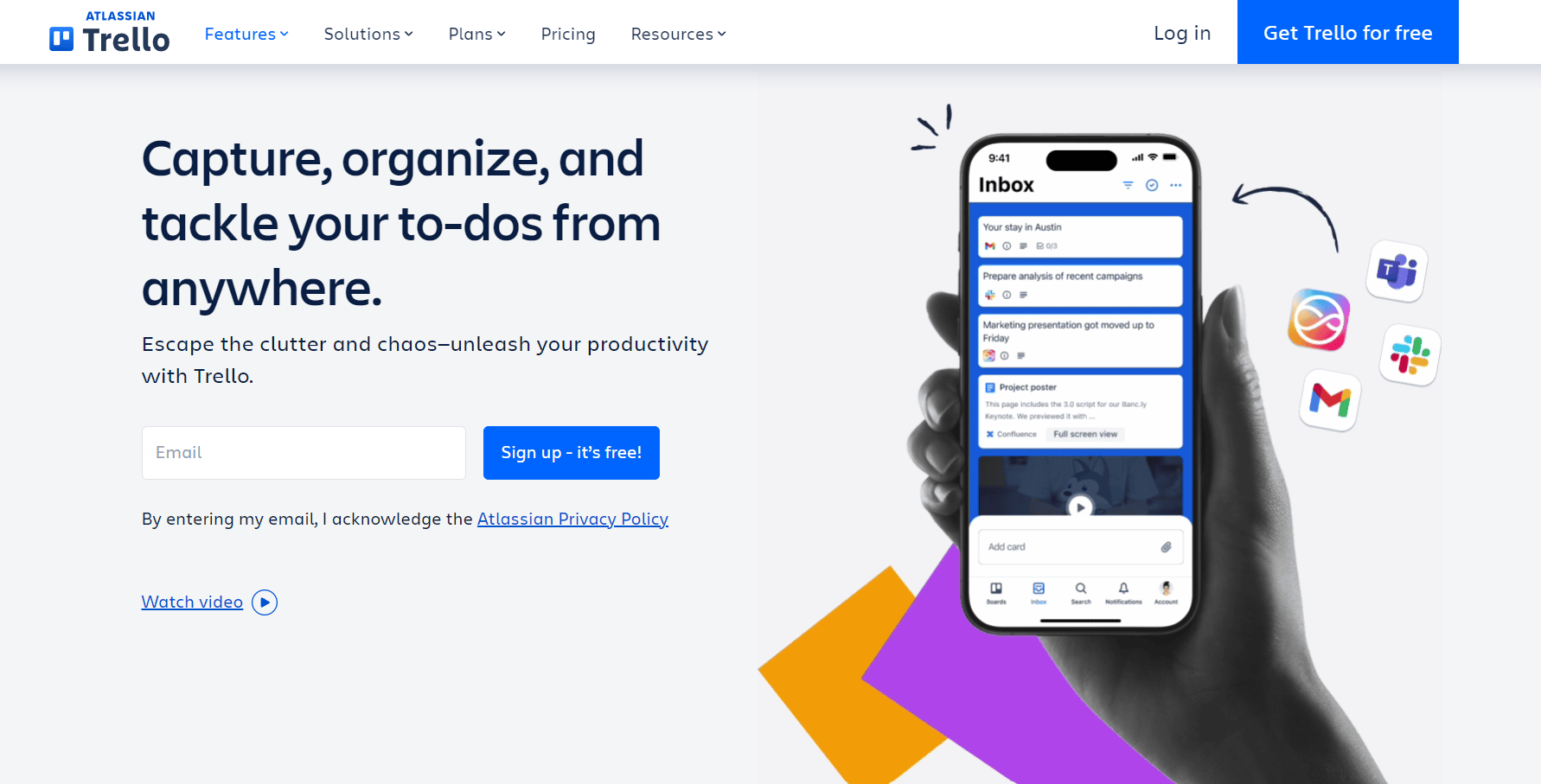
Google, Fender, Zoom, and Adobe all use Trello to organize work and improve team collaboration. With its simple, card-based system built for managing tasks and workflows visually, Trello is an excellent solution for teams and companies of every size.
Its features and functions help teams stay aligned, move faster, and work more transparently.
Some of the tools available with Trello include systems for creating task boards, organizing workflows, and automating routine activities. Because of this, company operations and communication become more structured and easier to manage. It integrates with many popular apps, allowing users to manage projects from a single location.
Top Features:
- Unlimited cards and activity logs depending on the plan selected.
- View and organize work using boards, lists, and cards for better clarity.
- A simple and clean dashboard provides a complete view of tasks and progress.
- Power-Ups allow you to add features like calendar view, automation, and integrations.
- Built-in automation using Butler to create rules, buttons, and scheduled actions.
Pricing:
- Free: Basic boards and core features
- Standard: $5 per user per month
- Premium: $10 per user per month
- Enterprise: Contact the sales team
Pros:
- Extremely easy to use and set up.
- Excellent visual workflow management using Kanban boards.
- Built-in automation with Butler saves time on repetitive work.
- Supports hundreds of integrations with popular apps.
- Great for team collaboration and task transparency.
Cons:
- Limited reporting and analytics capabilities.
- Not suitable for handling complex project dependencies.
- Advanced features are available only in higher plans.
14) Wrike
Source: Wrike
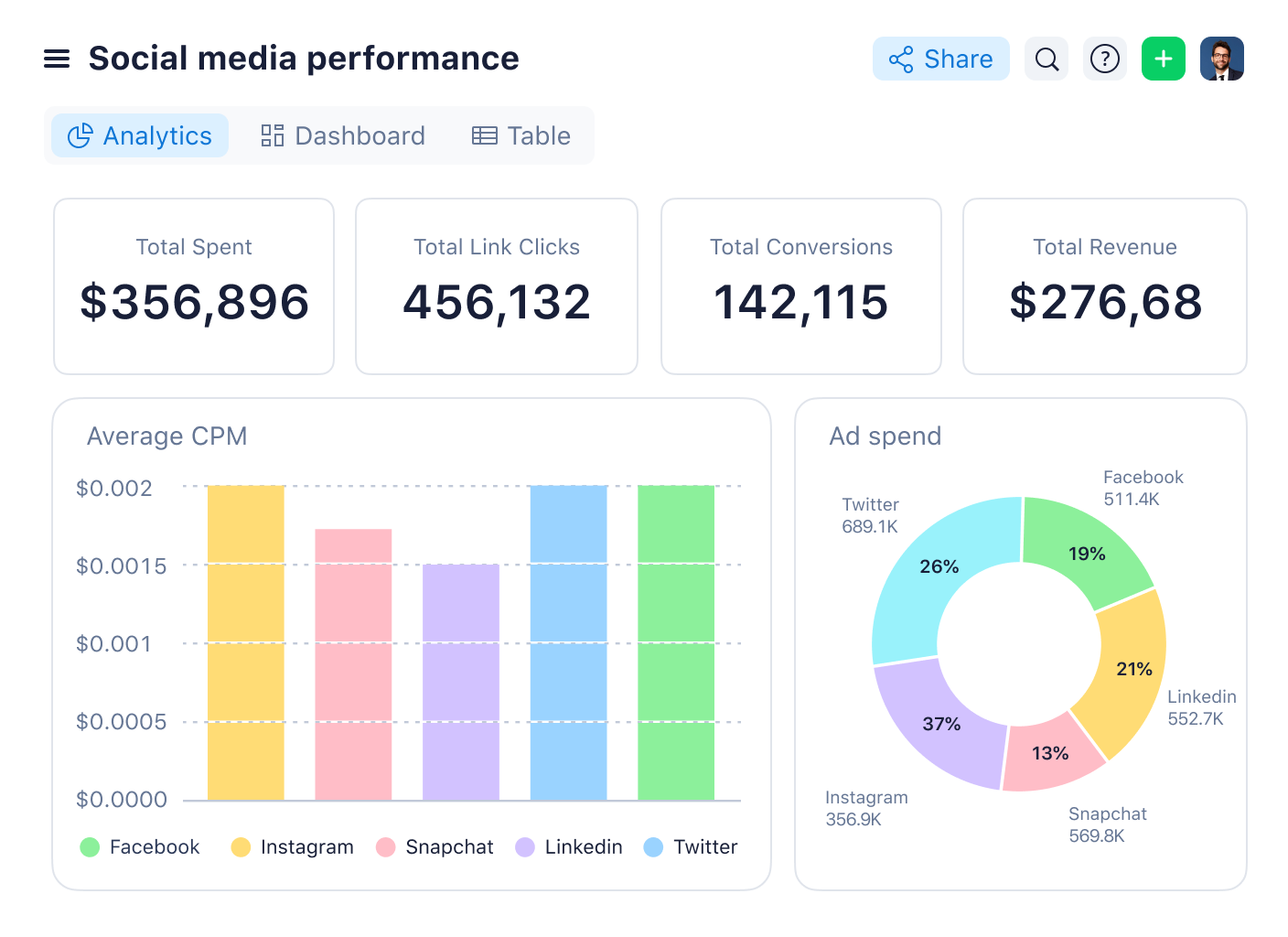
Wrike is a user-friendly workflow management tool for small to enterprise-level teams that can accommodate unlimited users. It allows users to easily modify processes, dashboards, reports, and request forms.
For displaying priorities, Wrike’s intuitive interface allows users to transition between Kanban boards, interactive drag-and-drop Gantt charts, and traditional workload views. Wrike also has a lot of automation tools, such as custom request forms that assign tasks automatically, push alerts and deadline tracking.
Top Features:
- You can generate reports for resource management and allocation for better insights.
- Wrike enables you to customize the dashboard and create the required workflows, request forms, etc.
- Besides basic workflow management, you can also share files, tasks, and reports for better collaboration.
- It sets your team on a scaling path and can be modified to adapt to the new changes in the company.
Pricing:
- Professional: $9.80 per user per month
- Business: $24.80 per user per month
- Enterprise: Customized quotes
Pros:
- Wrike gives amazing visibility into projects according to their departments and teams.
- It has comprehensive task modeling features.
- The features can be easily configured.
- Wrike offers multiple ways to view the same data using Kanban boards, Gantt charts, etc.
Cons:
- Wrike’s cost of adaptation and maintenance is high.
- It also has a steep learning curve.
15) Appian
Appian is a low-code automation platform that helps organizations design, automate, and optimize business processes across departments. Using its visual development environment, teams can build workflows, applications, and integrations without heavy coding. Appian supports sequential, conditional, and parallel workflows, making it suitable for complex enterprise operations.
Appian provides a unified platform for workflow automation, case management, and enterprise integrations in one environment. It stands out for its strong process orchestration, data management capabilities, and ability to scale for large enterprises with high performance and security requirements.
Top Features:
- Provides a unified digital workspace to manage processes, data, and collaboration.
- Offers powerful automation features such as robotic process automation (RPA), AI services, and document processing.
- Includes a robust rules engine to define business logic and validations easily.
- Provides strong integration capabilities with ERP, CRM, and third-party systems.
- Comes with built-in reporting and analytics for real-time process visibility.
Pricing:
Appian pricing is customized based on deployment size and business requirements.
- Platform: Contact sales for pricing
- Enterprise: Custom quote based on users and usage
- Cloud and On-premise options available
Pros:
- Powerful platform for enterprise-scale workflow automation.
- Low-code development enables faster application deployment.
- Integrates easily with existing enterprise systems.
- Strong automation capabilities including AI and RPA.
- Reliable performance and high security standards for large organizations.
Cons:
- Pricing can be expensive for small and mid-sized businesses.
- Requires technical expertise to implement complex workflows.
- The learning curve can be steep for new users.
- Customization may require developer involvement for advanced use cases.
16) Wrike
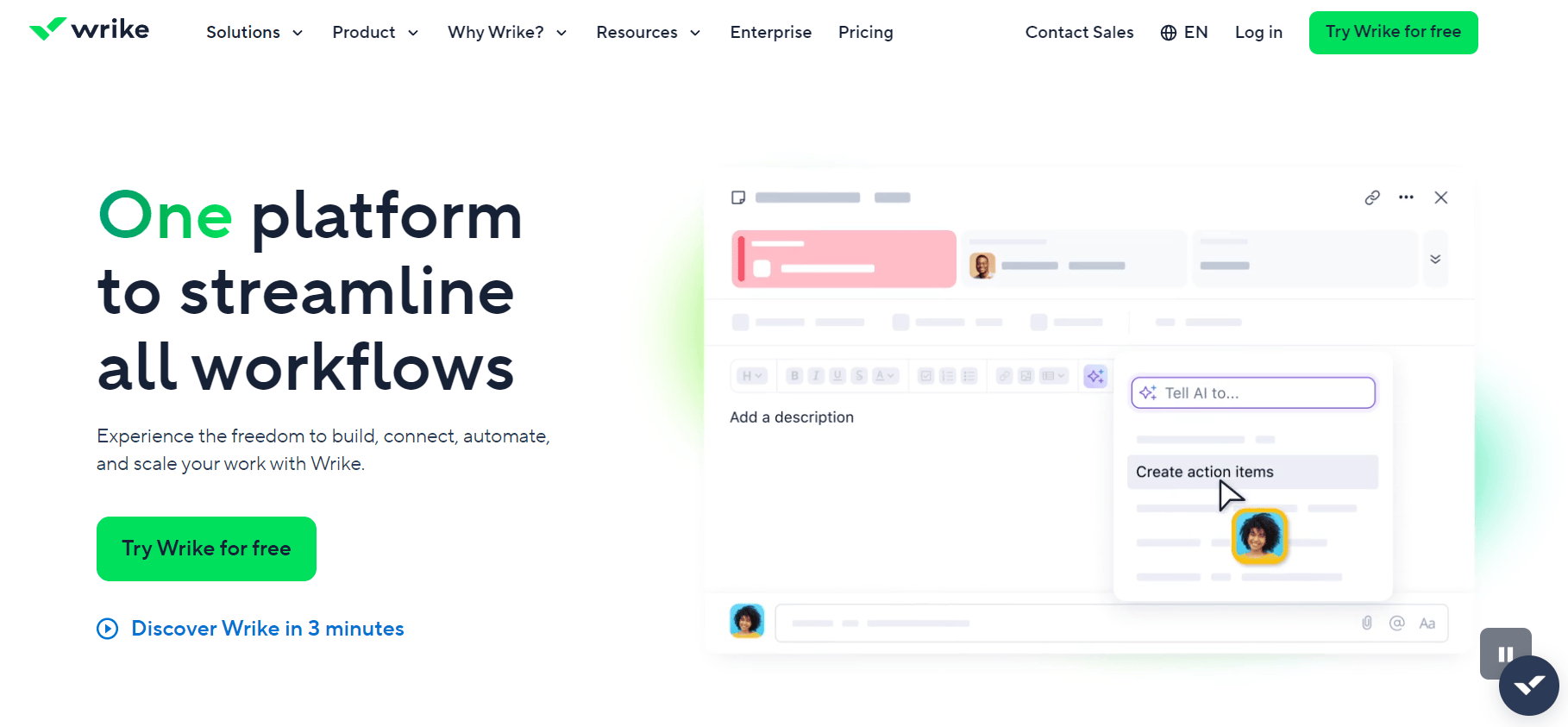
Wrike is a work management and project collaboration tool that helps teams plan, track, and complete tasks efficiently. It is mainly used for managing projects, improving team collaboration, and tracking work progress across departments like Marketing, IT, Operations, and Product teams.
Wrike is suitable for small, mid-sized, and large businesses. It allows teams to organize work, set priorities, and track tasks in one place. With ready-made templates and customizable workflows, teams can manage projects faster and maintain better visibility.
Top Features:
- Assign tasks and projects to team members and track progress easily.
- Automate workflows with simple rules to reduce manual work.
- Real-time dashboards provide clear visibility into project status.
- Custom workflows help teams work the way they prefer.
- Role-based access control to manage user permissions.
- Built-in reports for performance and workload tracking.
Pricing:
- Free plan available
- Team plan starts at around $9.80 per user per month
- Business and Enterprise plans: Custom pricing
Pros:
- Easy-to-use interface with low learning curve.
- Strong task and project tracking features.
- Good collaboration tools like comments and file sharing.
- Ready-to-use templates for common project workflows.
Cons:
- Limited automation in lower pricing plans.
- Can become expensive for larger teams.
- Not ideal for complex business process automation.
17) Automate.io
Source: Automate.io
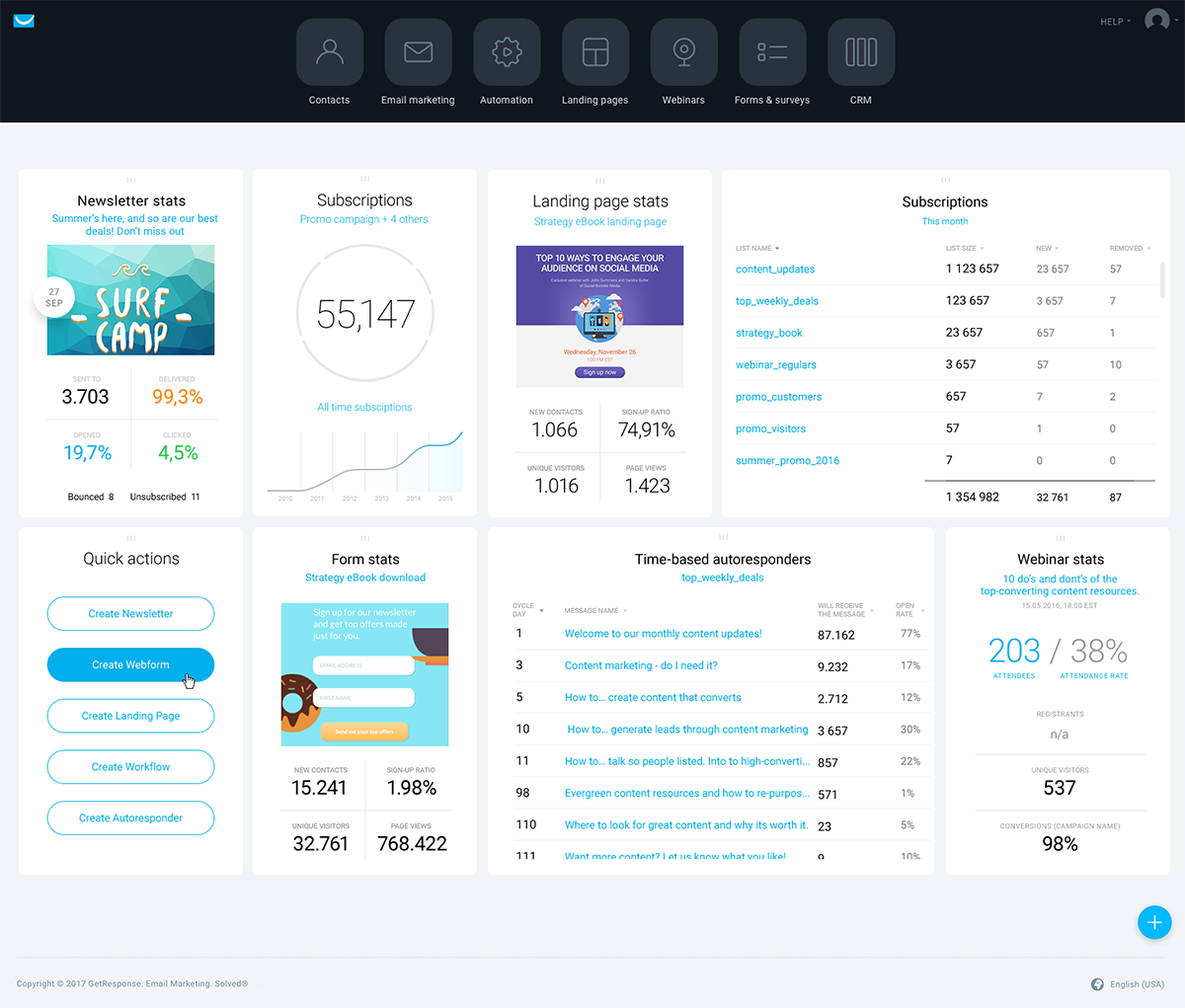
Besides allowing you to construct one-to-one integrations and multi-step workflows between various applications, Automate.io works similarly to other workflow management solutions. This software is great for teams who want to tailor their workflow to their demands while staying connected and communicating seamlessly.
Integrations with a variety of products that professionals use daily are available in Automate.io, including CRM, lead generation software, and a variety of other business productivity apps.
Top Features:
- With Automate.io, you can create customized automation-led workflows and speed up the process management systems.
- The smart workflow builder lets you create efficient workflows connecting multiple applications, logic, and formats.
- More than 200 connector applications and APIs are available to create a connected network of the required solutions.
- The drag-and-drop system helps build workflows without coding experience and knowledge.
Pricing:
- Personal: $9.99 per month for 600 actions
- Professional: $19 per month for 2000 actions
- Startup: $39 per month for 10,000 actions
- Growth: $79 per month for 30,000 actions
- Business: $15 per month for 100,000 actions
Pros:
- The Automate.io interface is clean and easy to use.
- You can filter several options to build the required workflows easily.
- The customer and tech support team is quick, proactive, and smart.
- The wide range of integrations helps in creating systems favorable for any kind of organization.
Cons:
- The interface requires continuous improvement, which is lacking here.
- There are issues with the screen loading speed.
18) HubSpot
Source: HubSpot
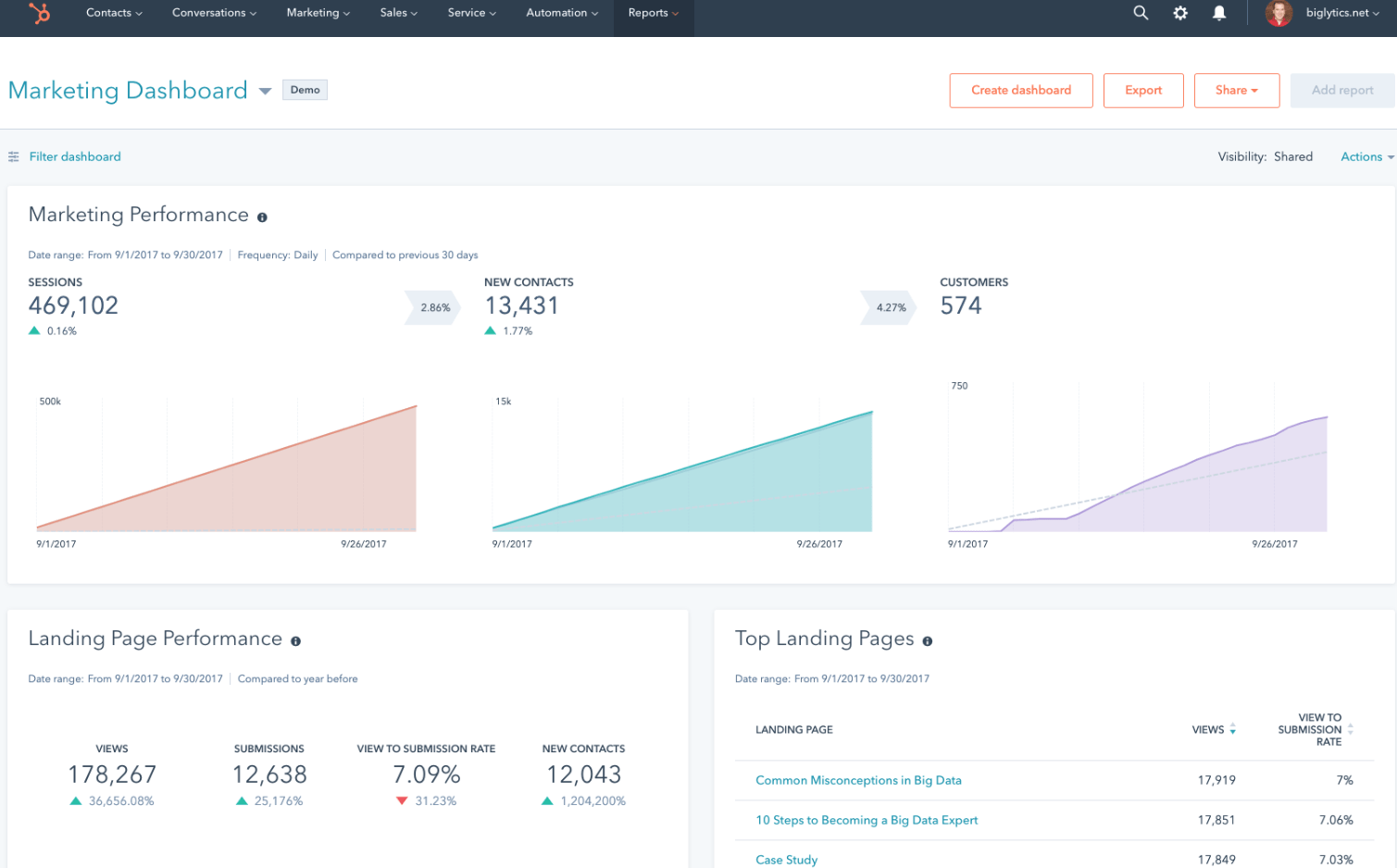
HubSpot’s Marketing Automation Software is a powerful tool that empowers businesses to streamline their marketing efforts, automate repetitive tasks, and nurture leads effectively. With its intuitive interface and robust features, it helps businesses save time, increase efficiency, and drive better results across their marketing campaigns.
- Set up automated email campaigns to engage leads at various stages of the customer journey, delivering personalized content and nurturing relationships
- Create targeted workflows to nurture leads based on their interactions with your website, emails, and other marketing channels, guiding them through the sales funnel
- Track and analyze leads’ behavior and interactions with your marketing content, gaining valuable insights to tailor your campaigns and messaging
- Easily integrate with HubSpot’s CRM or other CRM platforms, ensuring a unified view of leads and customers across sales and marketing teams
- Deliver personalized experiences to leads and customers by segmenting your audience and tailoring content based on their interests, preferences, and behavior
Key Features:
- Workflow Automation: Design and automate complex marketing workflows to streamline processes and deliver timely, relevant communications.
- Email Marketing: Create and send targeted email campaigns, track engagement metrics, and optimize performance with A/B testing.
- Lead Scoring: Assign scores to leads based on their engagement and interactions, helping prioritize follow-up efforts and identify sales-ready leads.
- Analytics and Reporting: Gain insights into campaign performance, track ROI, and measure the effectiveness of your marketing efforts with comprehensive analytics and reporting tools.
- Social Media Management: Schedule and publish social media posts, monitor mentions and engagement, and track the impact of social media activities on lead generation and customer acquisition.
19) Projectsly
Source: Projectsly
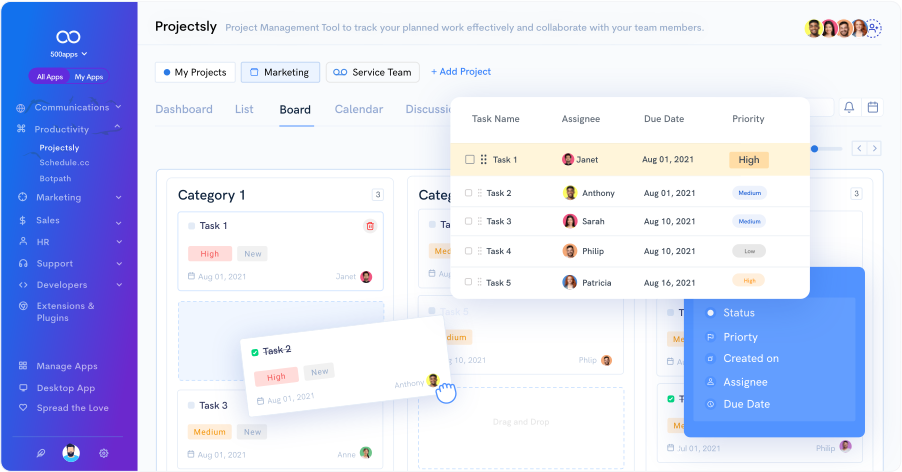
Projectsly is a prominent project management software that helps manage various projects. The product offers different solutions like List, Kanban, Calendar, and Gantt views. This platform aids its users in keeping data organized in one place, such as documents, notes, activity timelines, email integration, and task hours. Projectsly is an excellent platform for managing and tracking all the KPIs and objectives.
Top Features:
- The teams can work on multiple projects and get real-time updates on their progress.
- The platform offers powerful automated workflows that can be created using a user-friendly workflow designer. This automation solution helps reduce all the redundant and routine tasks.
- The tool provides an easy-to-use interface, remote team management, and access to the Porjectsly Chrome extension, which can be used on Gmail.
Pricing:
- Cloud – $14.99 per month
- Enterprise – $12.99 per month
- Hosted – Contact for pricing
Pros:
- The platform is best suited for small and medium-sized businesses that work remotely.
- The platform can seamlessly sync with tools such as Google Calendar, iCalendar, and Outlook Calendar.
Cons:
- Some users find it difficult to work with the interface design.
20) IFTTT
With a massive global user base, IFTTT (If This Then That) is a powerful automation platform that helps users connect apps, services, and devices to automate everyday tasks and workflows. The tool focuses on creating trigger-based automations called Applets that execute actions whenever a specific event occurs. IFTTT allows individuals and businesses to build seamless connections between different applications without writing code, improving productivity and reducing manual effort. It works across multiple categories such as productivity, marketing, smart homes, cloud services, and social media management.
Top Features:
- The platform allows users to create automated triggers and actions between hundreds of popular apps and services.
- It offers pre-built applets that enable quick automation without any technical setup.
- The tool supports multi-step workflows through advanced trigger conditions and filters.
- It provides automation for IoT and smart devices along with business and productivity apps.
Pricing:
Free Plan – Limited usage and basic applets
Pro – $3.99 per month
Pro+ – $14.99 per month
Pros:
- The platform is extremely easy to set up and requires no coding skills.
- It supports a wide range of integrations across productivity, social media, and cloud services.
- Users can automate repetitive tasks and save significant time.
- The interface is clean and beginner-friendly.
Cons:
- Complex workflows require a paid plan.
- Customization options are limited for advanced automation scenarios.
- Occasional delays may occur when executing triggers.
21) Bynder
Source: Bynder
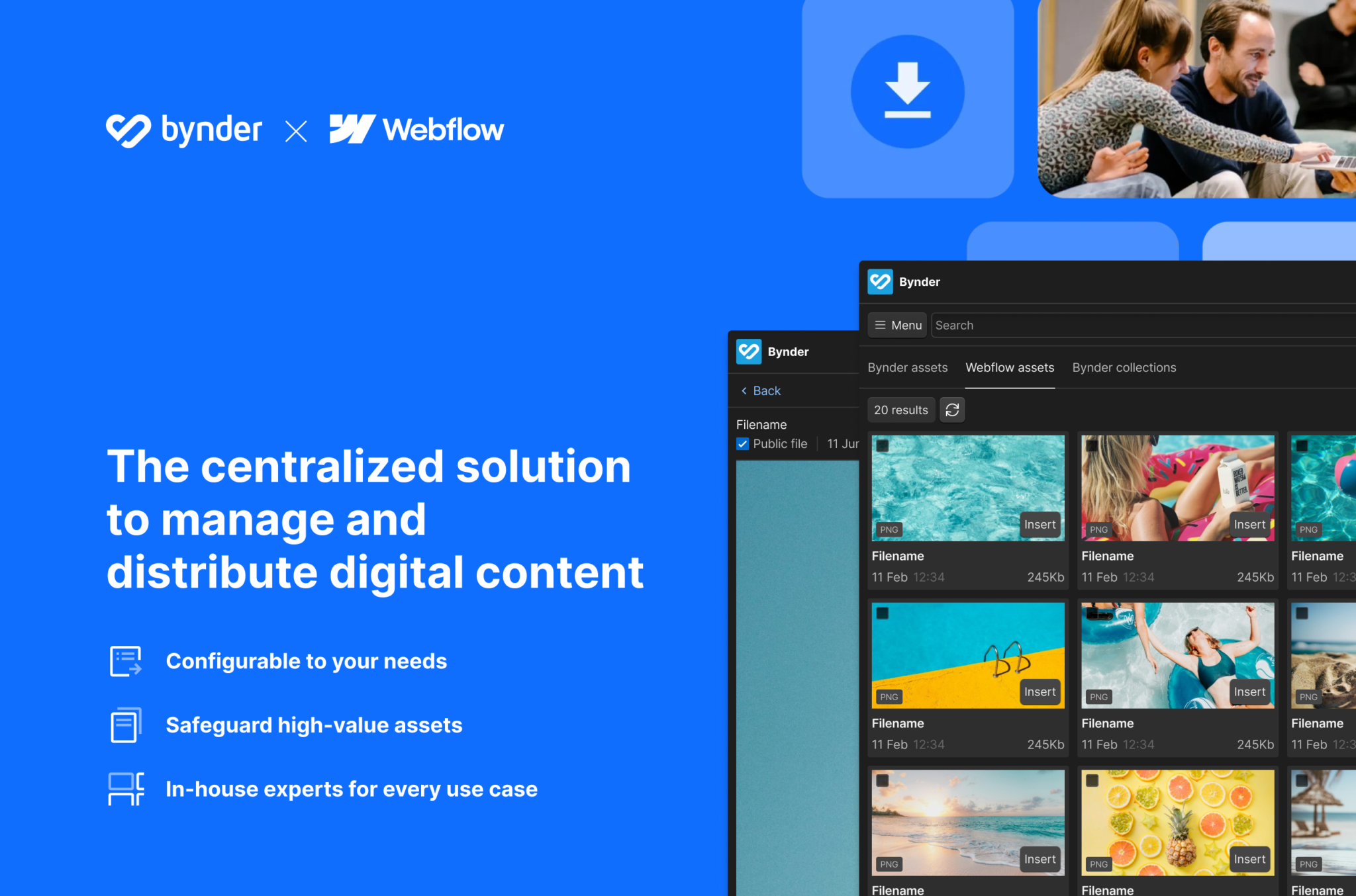
Bynder is a digital asset management process that aids in document and data management. As the tool offers an exceptional user experience, the AI-powered tool generates a compelling ROI and enhances investment opportunities. Bynder is a space where teams can effectively streamline process flow from content creation to management and distribution. The tool also comes with an intuitive user interface and supports a seamless integration facility.
Top Features:
- The tool offers powerful AI capabilities that facilitate revenue growth and help manage data effortlessly.
- The tool is ideal for any business size and aids organizations to scale in content management as the needs change.
- The platform offers a Developer’s toolkit that allows users to build simple as well as complex integrations, connecting users’ content to the platform.
Pricing:
- Pricing available on request
Pros:
- The platform allows users to centralize digital media to the platform with ease.
- The tool offers an easy onboarding process.
- The platform is quite easy to use with a simple user interface.
Cons:
- The tool has a steep learning curve with advanced features.
- The pricing is not transparent.
22) Bit.ai
Source: Bit.ai
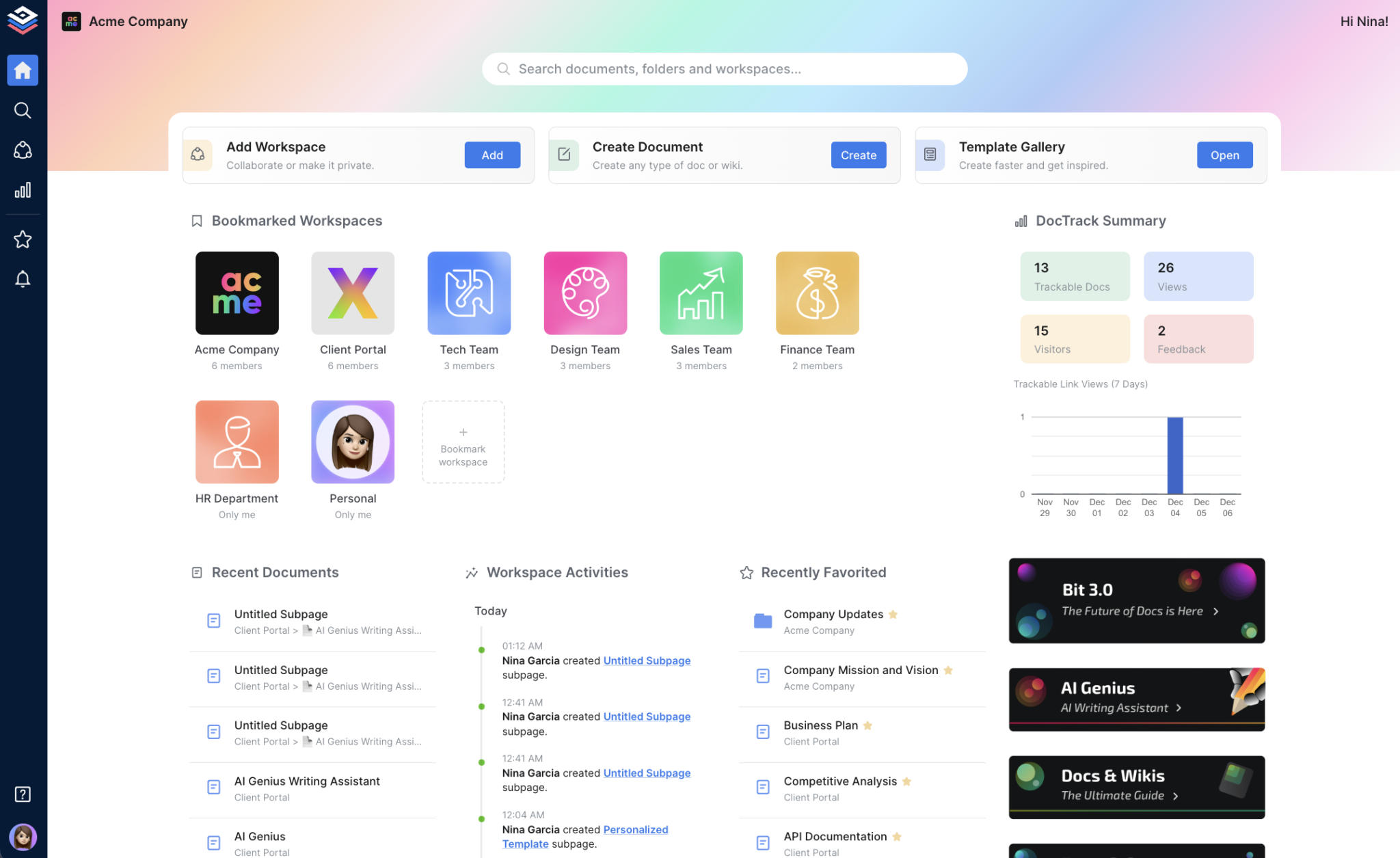
Bit.ai is one of the most popular tools for workflow and document management. The platform facilitates effortless document creation and management, and knowledge management. The tool opens up multiple sharing options which enables the teams to share work through trackable links. The tool is also equipped with interactive docs that support multiple content types or media formats. The tool comes with a Smart Search that instantly searches and locates documents for users.
Top Features:
- The tool offers a powerful editor that can create smart docs and wikis, enabling team management and interactive docs.
- The platform allows users to work without any interruption in real-time as well as guest users.
- The tool provides AI Genius, which is an assistant writer that lets the users improve their writing skills and maximize their overall performance.
Pricing:
- Free plan
- Pro Plan -$8 per user/month
- Business Plan – $15 per user/month
- AIGenius Writing Assistant – $10 per 100K words/month
Pros:
- The tool offers extensive document management and editing facilities and solutions.
- The platform is equipped with powerful security features to safeguard crucial business data.
- The platform offers extensive integration with external applications.
Cons:
- Users have reported issues with access control and missing features.
- The platform’s pricing plan can be expensive for some businesses.
23) Airtable
Source: Airtable
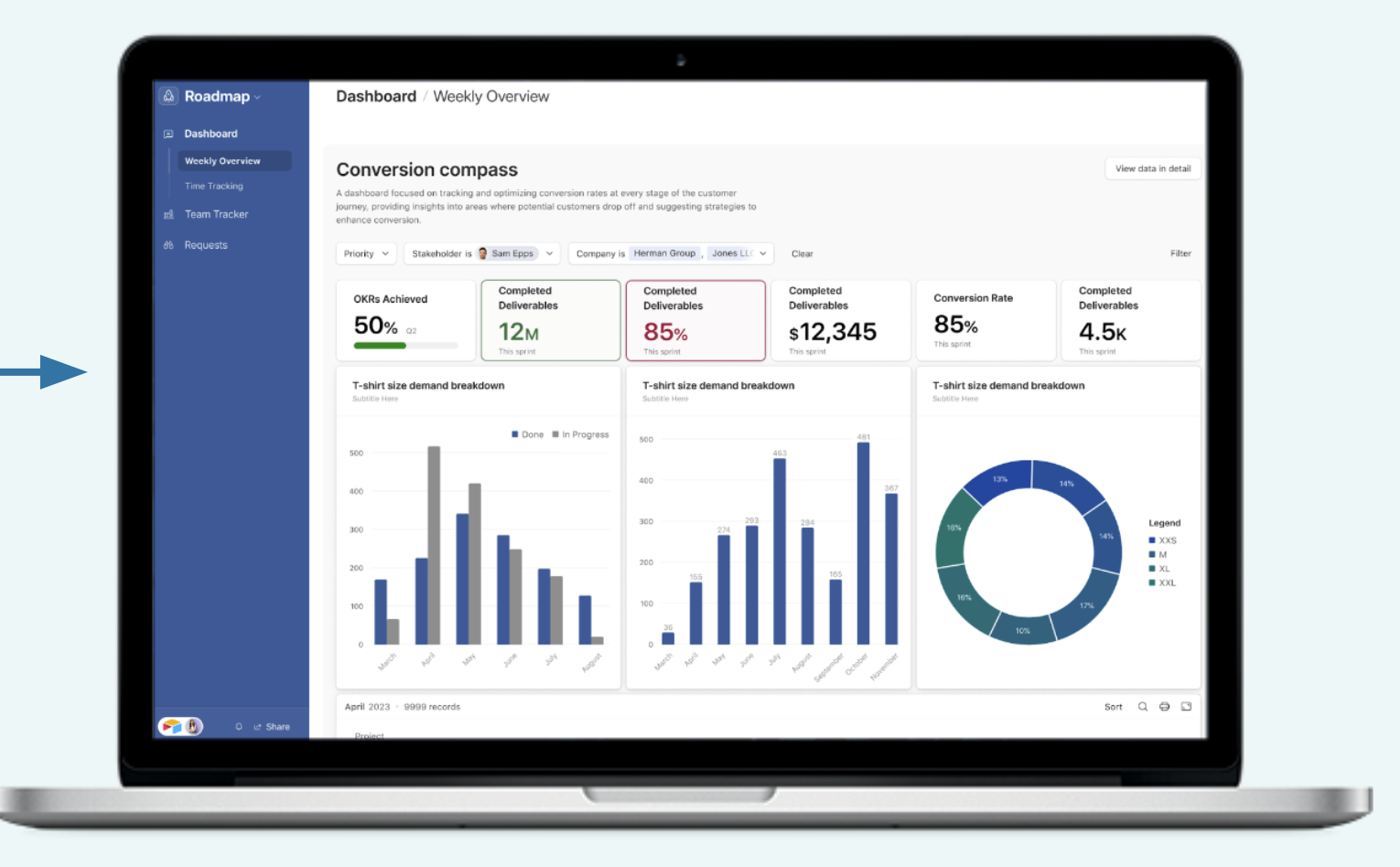
Airtable is a workflow management tool that combines multiple solutions in one. The tools offer solutions such as card features, spreadsheets, and provisions to comment, making Airtable an all-in-one platform. More than a workflow automation tool, Airtable acts as a solution meant for data and information with sophisticated database management capabilities. Hence, the tool is best for teams that deal with a heavy load of data every day.
Top Features:
- Airtable is a platform that can be used for survey purposes. Survey forms can be generated, collect entries, and track ideas.
- The platform provides a range of templates.
- The platform can be seamlessly integrated with third-party applications and has an extensive routing and notification system.
Pricing:
- Free plan
- Team – $20 per user/month (billed annually)
- Business – $45 per user/month (billed annually)
- Enterprise Scale – Contact for pricing
Pros:
- The tools offer free forever and other affordable plans for small teams and businesses.
- The platform provides templates that help easy setup and utility.
- The platform also gives its users customizable features to ease task management.
Cons:
- The paid plan offers only a limited customization option for managing projects.
- The tool has a steep learning curve and might take time for the team to work with advanced features.
24) Asana
Source: Asana
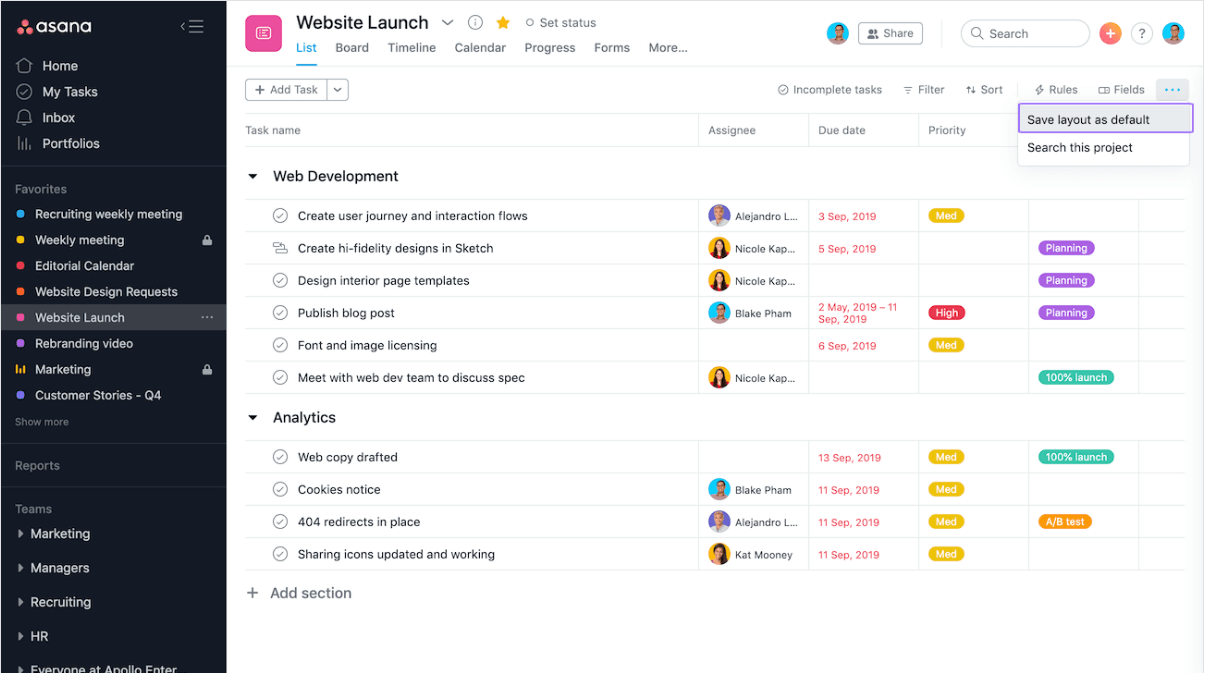
Asana is a business tool specializing in project management and workflow management, helping businesses to scale their growth and revenue. Businesses can leverage Asana to optimize processes and gain clarity and transparency in the processes. The tool helps businesses to work on strategic initiatives and accomplish success faster. All the team members across the organization can be connected to achieve common objectives through this centralized platform.
Top Features:
- Business operations across multiple departments can be automated using Asana’s workflow management solution.
- The tool offers resource management solutions which entail solutions like capacity planning, workload, and time tracking.
- The tool promises high security with an admin console and access control to the platform.
Pricing:
- Personal – Free plan
- Starter – $6.92 per user/month (billed annually)
- Advanced – $15.74 per user/month (billed annually)
- Enterprise – Available on request
- Enterprise+ – Available on request
Pros:
- The platform is popular for its ease of use and simple user interface.
- The team can manage tasks and projects and track every task carried out.
- Huge teams can be managed effectively using this platform.
Cons:
- The platform has a steep learning curve, especially with advanced features.
25) WorkflowMax
Source: WorkflowMax
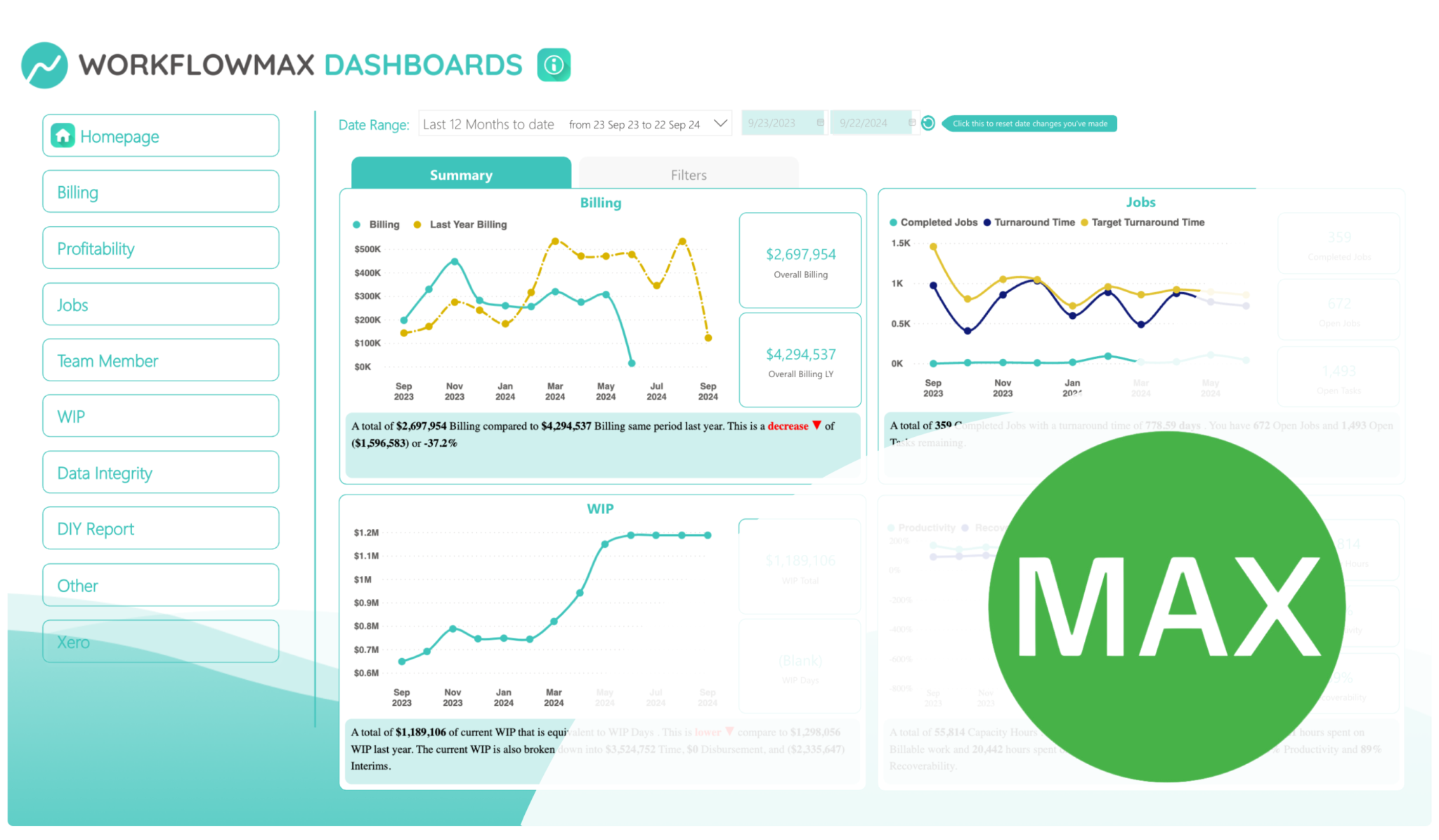
WorkflowMax is a simple job management software that is best suited for small to medium-sized businesses. The tool popular for time tracking lets the user know the time spent on each task. This ensures that every job is tracked and effectively managed with accurate timesheets. Moreover, the tool also provides an effective workflow management solution that will streamline end-to-end business processes. Moreover, the platform lets its users integrate third-party applications for a seamless user experience.
Top Features:
- The platform offers extensive customization options for users. It gives you personalized data, custom fields, and the functionality of group and report field insights.
- An effective notification system helps to streamline the tasks and make the process flow smoother.
- The tool is also known for its effective document management solution. It provides a centralized platform for document storage and saves hours in locating any particular file.
Pricing:
- Standard – $45.00 per month (up to 3 users)
- Standard with Lead manager – $60.00 per month (up to 3 users)
- Premium – $95.00 per month (up to 3 users)
Pros:
- The platform is best suited for time-tracking and maintaining timesheets
- The tool has an easy user interface and setup
- The tool is known for enhancing the process efficiency.
Cons:
- The tool has limited functionality with certain features.
- Users have reported copy-paste issues on this platform.
Other Special Mentions:
1) Make (Integromat)
Make allows you to build complex workflows visually using a drag-and-drop interface. It is ideal for automating data movement and integrations between multiple apps.
2) Pipefy
Pipefy helps teams manage processes using customizable workflow pipelines. It is widely used for HR, finance, and customer service workflows.
3) Scoro
Scoro combines workflow management, reporting, and automation into one platform. It is used mainly by professional service teams to manage operations efficiently.
4) Bizagi
Bizagi provides powerful tools for process modeling and business automation. It is well-suited for enterprises managing large, rule-driven workflows.
5) Pega BPM
Pega helps organizations automate decisions, workflows, and customer processes. It is popular in financial services and regulated industries.
6) FlowForma
FlowForma helps companies automate approvals and compliance workflows with no coding. It is commonly used for governance and compliance automation.
7) HighGear
HighGear is designed for managing enterprise workflows with a strong focus on audit trails and compliance. It serves industries like healthcare and finance.
8) Automation Anywhere
Automation Anywhere is an RPA platform that automates repetitive digital work using bots. It helps enterprises reduce manual work and improve efficiency.
9) Blue Prism
Blue Prism provides robotic automation for large-scale business processes. It is known for reliability and strong governance features.
10) UiPath
UiPath helps automate tasks using software robots without heavy development. It is widely used for automating finance and IT processes.
11) Kofax
Kofax combines workflow automation with document processing and data extraction. It is best for document-heavy operations like billing and claims.
12) Microsoft Power Automate
Power Automate allows users to create workflows across Microsoft and third-party apps. It is ideal for organizations using Microsoft 365 and Dynamics.
13) Octoparse
Octoparse automates data collection and web extraction using AI. It is useful for market research and data gathering workflows.
14) Gumloop
Gumloop lets users build AI-powered workflows using a visual builder. It integrates AI into business processes for smarter automation.
Conclusion
Streamlining workflows can be effectively done by using workflow management software. The right workflow management solution can organize tasks in the workflow so that redundancies and inefficiencies are eliminated. Mapping out the workflow helps identify key areas of improvement, which the workflow management software can focus on.
The list of top workflow software tools provided in this blog ought to help you choose the one that suits the requirements of your organization. Cflow is a comprehensive workflow management platform that caters to the diverse requirements of organizations across industries. Insane levels of customer service that come with the software take you through every stage of automation. To know more, simply sign up for the free trial.
FAQs
1. Are SaaS-based workflow management tools the right choice?
Yes, workflow automation is most effective when SaaS-based tools like Cflow are used.
2. Are workflow management tools expensive?
No, investing in workflow management tools is worth every penny. The investment costs are quickly covered by the cost savings that result from automating processes.
3. What will be the lead time for setting up a workflow management software?
A few minutes! Yes, you heard it right. A no-code workflow management software like Cflow can be set up within minutes with the visual workflow builder.
What should you do next?
Thanks for reading till the end. Here are 3 ways we can help you automate your business:

Do better workflow automation with Cflow
Create workflows with multiple steps, parallel reviewals. auto approvals, public forms, etc. to save time and cost.

Talk to a workflow expert
Get a 30-min. free consultation with our Workflow expert to optimize your daily tasks.

Get smarter with our workflow resources
Explore our workflow automation blogs, ebooks, and other resources to master workflow automation.